Understanding Computer Components: A Guide to Hardware Essentials
This comprehensive guide dives into essential computer hardware components, explaining what happens when you power on a computer. Learn about the processor, logic board, hard drive, memory, video card, audio card, and networking. Understand specifications like speed, cache, and storage size, helping you make informed choices when purchasing a computer. Gain insights into different ports, memory sizes, and software included by default. By the end, you'll be equipped with the knowledge to navigate technical specifications and select the right computer for your needs.

Understanding Computer Components: A Guide to Hardware Essentials
E N D
Presentation Transcript
Computer Hardware Dawn Pedersen
Flick the switch… What happens when you turn a computer on?
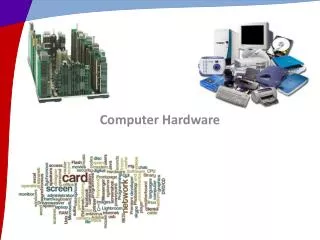
Components • Processor • Logic board/bus • Hard Drive • Memory • Video card • Audio card • Networking • Ports
Understanding Specifications • What does all this stuff mean? • How do you choose? • How much will it cost?
Processors • Speed • Faster means the computer will do complex calculations faster • Cache • Larger means the chip stores more temporary information • Manufacturer • E.g. Intel – some chips will work better with some software)
Hard Drive • Speed • 5400 RPM, 7200 RPM • Faster means the computer will load and write files faster • Size • Measured in gigabytes (more on that later) • Larger means more can be stored on the computer
Memory • Size • Measured in gigabytes • More means you can have more programs running at once
Networking • Types • Ethernet • Wireless • What ports are available?
Video Card • Memory size • Measured in megabytes • The more memory your video card has, the more quickly it can draw complex images on the screen
Ports • What types of ports are available for plugging in other equipment, e.g. audio input and output?
Software • What software is included by default?
Conclusion • You should know what the basic components of a computer are and what they do. • You should be able to purchase a computer and look at the specifications and understand generally what they mean.