Optical Support Structure Subsystem (OSS)
The Optical Support Structure (OSS) is integral to optical systems, facilitating precise movements and positioning. This overview highlights key components such as the mirror cover, swing arms, and hexapods, alongside a block diagram representing OSS subsystems. A detailed description of the M2 and M3 swing arms, dynamic balancing features, and the user interface for monitoring the hexapod's kinematic and physical legs is provided. The OSS subsystem supports real-time updates and control, ensuring effective operation within given parameters and states.

Optical Support Structure Subsystem (OSS)
E N D
Presentation Transcript
OSS Components (left and right) • Mirror Cover Swing Arm • Mirror Cover • Prime Focus Swing Arm • M2 Swing Arm • M2 Hexapod • M3 Swing Arm • M3 Mirror (combined left & right) • Dynamic Balancing (?)
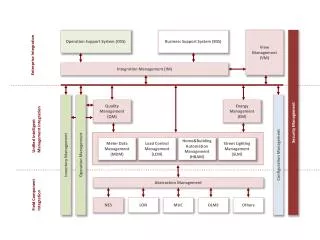
OSS Block Diagram OSS Subsystem (non-sided) M2 Hexapod (left & right) UMAC (left & right) UMAC (left & right) M2 Hexapod (left & right) UMAC (left & right) M2 UMAC (left & right) Swing Arms (left & right) MCSPU Swing Arms (left & right) Swing Arms (left & right) Swing Arms (left & right) Mirror Cover (left & right) Mirror Cover (left & right) Mirror Cover (left & right) Mirror Cover (left & right) Dynamic Balancing Dynamic Balancing M3 Mirror (left) M3 UMAC (left & right) UMAC M3 UMAC (left & right) M3 Mirror (right)
M2 Hexapod State Diagram OFF STANDBY ONLINE Toggle Switch Init Deinit, Close Brake Deinit, Close Brake Home, Init Toggle Switch Stop Automatic Move Init ERROR IN LIMIT MOVING Init Move Automatic
M2 Hexapod GUI Display • 3 Displays: • Kinematic Axes • Spherical Axes • Physical Hexapod Legs • Brake Status (engaged | disengaged) • Comm Link (connected | disconnected) • Homed Status (yes | no)
Hexapod Kinematic Axes • Show position of kinematic axes X, Y, Z, Alpha, Beta and Gamma. • Positions are updated from reflective memory every half second. • Allow moves to be made in any or all axes. • No status is reported.
Hexapod Movement-On-A-Sphere • Shows Angle X and Angle Y. • Both angles are calculated by the OSS subsystem and updated every half second. • Allows moves to be made in either or both axes. • No status is available
Hexapod Physical Legs • Passive display showing information about each physical leg. • Performing moves in the other hexapod displays will cause this display to change as well. • State/Error box displays state and error for each leg