Download
1 / 13
130 likes | 270 Vues
In today's lesson, we explore how computers store information using binary states. Digital data is represented as sequences of binary states: 'on' or 'off', represented by bits, which are the smallest units of data. A byte, composed of 8 bits, can hold a single character. We discuss various data measurements: kilobytes (1024 bytes), megabytes (1 million bytes), gigabytes (1 billion bytes), and terabytes (over 1 trillion bytes). Understanding these concepts helps us grasp how digital storage works in devices like RAM and hard drives.

E N D
Learning Goal Today we are going to learn how the computer stores information.
At the Bottom of things • A piece of digital information is always stored as a sequence of binary states. What is a “binary state”???
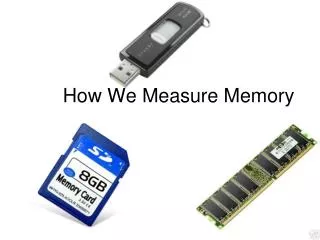
Electrical Memory • RAM, Memory Sticks, Memory Cards all store information as sequences of negative or neutral charges. • The two states are negative and Neutral
A “bit” A bit of information is a single binary state. For example: • “on” or “off” • “pit” or “land” • “negative” or “neutral” • “dead or “alive”
“A Byte” There are 8 bits in a byte. A byte can hold a single character. Ex: ‘A’
A “Kilobyte” (Kb) A Kilobyte is 1024 bytes or 210. (or about 1000 bytes) You would measure an Email in Kb.
A Megabyte Mb A megabyte is 1 048 576 bytes which is 220. (Or about 1 million Bytes) Mp3s and digital pictures are usually 2-5 Mbs.
Gigabytes (Gb) A Gigabyte is 1 073 741 824 bytes or 230 or about 1 billion bytes. We measure RAM, Hard drives, Memory cards in Gb.
Terabyte • A Terabyte is 240 which is 1 099 511 627 776 bytes Large hard drives are measured in Terabytes.
Beyond Terabytes?? Chart from Wikipedia.
Summary • A bit is a single binary state. • There are 8 bits in a byte • There are about 1 000 bytes in a Kilobyte. • There are about 1 000 Kilobytes in a Megabyte • There are about 1 000 Megabytes in a Gigabyte • There are about 1 000 Gigabytes in a Terabyte