
SlideServe
Menu
Préférences
© SlideServe · v2026

Effective Time Management Strategies for Busy Professionals

more avatar
21 diapositives · 358 Views · Jul 10, 2014

Join Dr. Lynn Larsen, Ph.D., as she shares essential time management techniques tailored for busy professionals. This presentation will help you identify organizational needs, share effective strategies for managing work tasks, and optimize your use of to-do lists, folders, and email. Dr. Larsen, an Associate Dean at Brandman University, balances numerous roles, including family, coaching, and academia. Gain insights on distinguishing between "clock time" and "real time," and learn to tailor your organizational strategies to work efficiently and effectively, ensuring you accomplish your goals.
Effective Time Management Strategies for Busy Professionals - slide 1
01 / 21Effective Time Management Strategies for Busy Professionals
1 / 17

Télécharger la présentation

Effective Time Management Strategies for Busy Professionals
Une image / un lien ci-dessous est fourni (tel quel) pour télécharger la présentation

Politique de téléchargement : le contenu du site vous est fourni TEL QUEL pour votre information et votre usage personnel ; il ne peut être vendu, concédé sous licence ni partagé sur d’autres sites sans l’accord de son auteur.Le contenu vous est fourni TEL QUEL, pour votre information et votre usage personnel uniquement. Téléchargez la présentation en cliquant sur ce lien. Lors du téléchargement, si vous ne parvenez pas à télécharger une présentation, l’éditeur a peut-être supprimé le fichier de son serveur.Pendant le téléchargement, si vous ne parvenez pas à obtenir une présentation, le fichier a peut-être été supprimé par l’éditeur.

F I N

Plus de contenu associé

Transcription de la présentation
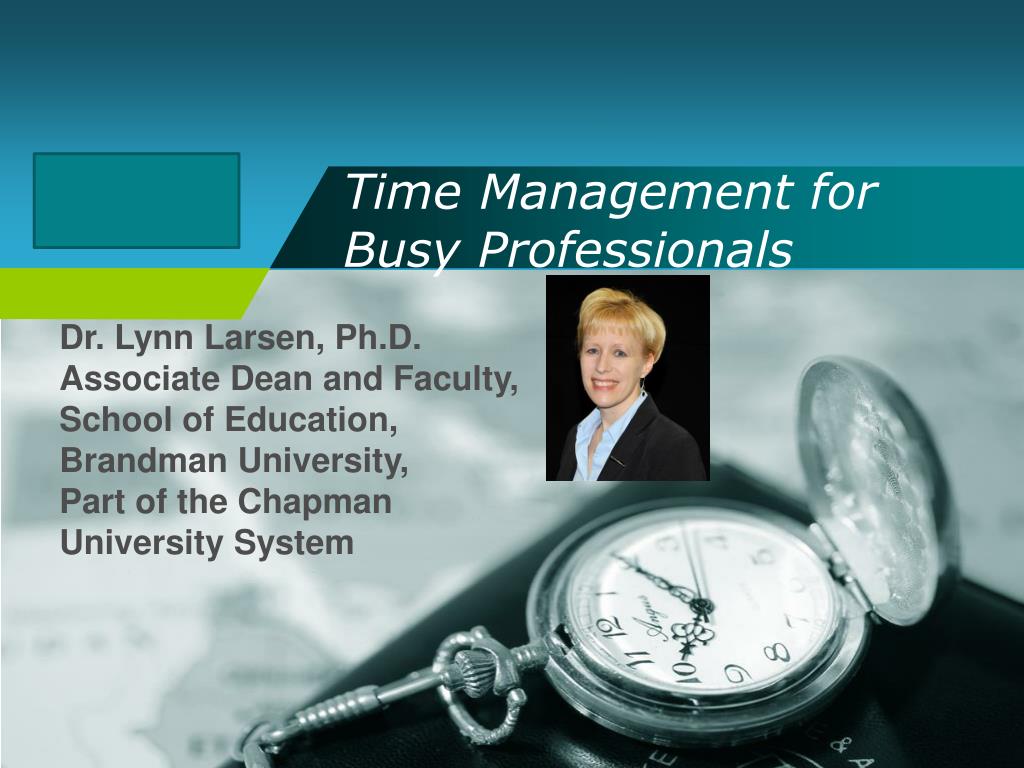
  1. Time Management forBusy Professionals Dr. Lynn Larsen, Ph.D. Associate Dean and Faculty, School of Education, Brandman University, Part of the Chapman University System

  2. Presentation Goals • Help you identify organizational needs • Share strategies for organizing work tasks • To-do lists • Folders • E-mail • Share strategies for managing your work time

  3. The many hats I wear • Mom/wife • 9th grade twins: gymnastics, guitar, golf, school activities • Coach, Program coordinator for Odyssey of the Mind • Associate Dean • Full-time education faculty • Performing Arts program coordinator and director • Church volunteer

  4. M O M, W I F E

  5. Coach, Coordinator

  6. Associate Dean overseeing Special Education, School Counseling/ Psychology, and Education Master’s degrees at all of the California campuses for Brandman University

  7. Time Management/Organization • Share: What aspects of time management and work organization are the most difficult for you?

  8. Time Management • The difference between “clock” time and “real” time (http://www.entrepreneur.com/article/219553) • Clock time • 60 seconds in a minute, etc. • Cannot manipulate it • Real time • all time is relative • can fly or drag depending on what you’re doing or what deadline you have looming • You can manipulate it!

  9. Time Management • Biggest factor in time management is organization • If you know what you have to do and when it has to be completed, then you can manage your “real” time We know some mess = creativity, but….

  10. Getting your day started • Always start your day by reviewing what has to be accomplished • Tasks • Meetings • Appointments • Work on longer-term projects • Map out your day either mentally or in written form • To-do lists can be a big help!

  11. To-Do Lists • Your to-do list • Customize for your job responsibilities • Color-code for urgency • Organize by day, week, project • Prioritize each section • Google “to do list template” • Free templates for Word, Excel • Always check things off or move them to a completed list so you can see what you have accomplished!

  12. To-Do Lists • Great article about managing to-do lists, includes a free template: • http://www.mindtools.com/pages/article/newHTE_05.htm • Web-based to-do lists: • www.todoist.com/ • http://www.toodledo.com/ • Outlook Mail has a To-Do bar • Printable to-do lists • http://www.printabletodolist.com/ • Of course there are apps! • To Do Apps

  13. To-Do Lists • Quick brainstorm: • How would you organize your to-do list? • What would go on your to-do list right now? • How would you prioritize your to-do list?

  14. Email • Use your email’s features to help you stay organized and manage your time • Calendar – color coding • Task/appointment reminders • Appointment scheduling assistant • Do a screen capture/save or print your calendars regularly so you have a record of what you have accomplished

  15. Email • Calendar – color coding

  16. Email • Calendar – task reminders • Calendar – color coding

  17. Email • Calendar – Scheduling Assistant

  18. Email • Organize your email – use folders! • Create the number of folders you can manage • Use them! • Don’t forget to sort your “sent” mail • Don’t let your inbox get too full

  19. Back up important files • Do this regularly!! • Flash Drive(s) • www.dropbox.com • http://www.mypcbackup.com/ • http://www.makeuseof.com/tag/4-best-sites-10gb-free-online-storage/

  20. Summary • Create a to-do system that works for you • Use it! • Organize your email and appointments • Use organizational tools to manage your time • Back up important files Remember!!

  21. Thank You ! www.themegallery.com