Back2Cloud: Remote Backup Service
Back2Cloud offers a robust remote backup service utilizing Amazon S3 technology. It addresses the challenges of traditional local backup systems, which are vulnerable to various failures such as crashes and human errors. With features like AutoSync, encryption, and a user-friendly interface, Back2Cloud ensures secure and quick file recovery accessible from anywhere with an internet connection. This paper discusses the motivation behind remote backups, the underlying cloud computing architecture, performance benchmarks, and future work, highlighting challenges and opportunities in the remote backup landscape.

Back2Cloud: Remote Backup Service
E N D
Presentation Transcript
Back2Cloud: Remote Backup Service AmitWarke Jerry Philip Lateef Yusuf SuprajaNarasimhan
Outline • Motivation • Cloud Computing • Amazon S3( Simple Storage Service) • Architecture • Back2Cloud Features • Performance Benchmarks • Future Work and Challenges
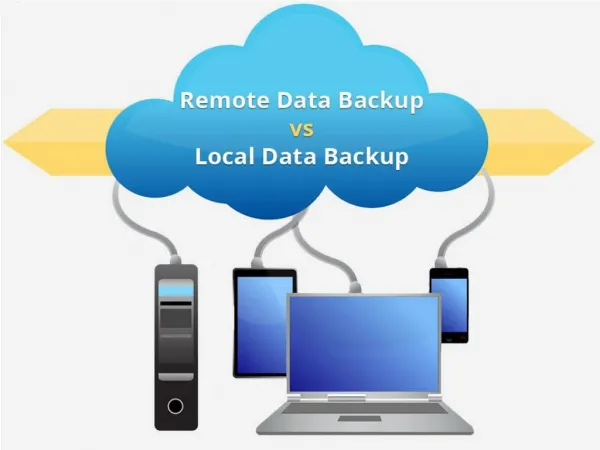
Motivation • Having your own backup plan requires significant investment in infrastructure such as hardware, software and training. • Local backup systems are susceptible to various kinds of failures such as server crashes, virus attacks and human errors leading to loss of data. • Remote backups are easy to implement: only client side software required. • Remote backups more secure than local backup systems. • Quick file restore: data available 24 hours a day – 7 days a week • Remote backup require an internet connection and can be accessed from anywhere in the world with the help of a mobile device to restore data.
Cloud Computing Service Consumers DatacenterInfrastructure AccessServices Monitor & ManageServices & Resources IT Cloud Component Vendors/Software Publishers Service Catalog, ComponentLibrary CloudAdministrator Publish & UpdateComponents, Service Templates • Cloud Computing: refers to both applications delivered as services over the internet and hardware and systems software in data centers that provide these services. • The datacenter hardware and software is what we call cloud
Why cloud and its spectrum • They provide the illusion of computing resources available on demand: eliminating under-provisioning and over-provisioning • Elimination of an up-front commitment by cloud users: increase resources on an on-demand basis. Lower-level, Less management Higher-level, More management Amazon Azure AppEngine
Amazon Simple Storage Service (S3) • Distributed Data Storage service. It has a highly scalable reliable, fast storage infrastructure. • Allows users to add, delete, retrieve and store files on the storage system. • S3 Storage concepts: • Bucket: container for objects stored in S3 every object is stored in some bucket • Object: fundamental entities stored in S3 object consists of meta-data and object data • Keys: A key is a unique identifier for an object within a bucket. A bucket and a key uniquely identify an object.
Back2Cloud • AutoSync: background daemon to continually sync files and any modifications to it to the cloud • ManualSync: pick a specific file to sync to the cloud • Restore: get your files back • Encryption: secure your data • Recovery: backup process auto-recovers from network and server crashes • Versioning: retrieves different versions of the same file
1) FLEXIBILITY • Backup Anything: Specify folder(s) to monitor • Servers. Laptops & Desktops running… • any OS: Windows, MAC OSX, Linux & FreeBSD
2) PERFORMANCE • Data Encryption to secure files! • Powerful compression that ensures you use up a lot lesser space & bandwidth • Resilience on failures and server crashes
3) USABILITY • A backup is as good as it’s ability to restore any version of the data you need • An intuitive user friendly interface goes a long way towards facilitating better backup habits.. • You own and control your data • You pay for only what you use • Many alternatives just die ( e.g. Xdrive)
Back2Cloud- OnlineAccess your files where ‘YOU’ areNOT where your computer is! • Online Access: view and download your files wherever you are • What if your system crashes or is stolen? • What if you forgot your laptop on the day of a presentation? • What if you want to show something on your friend’s computer? • What if you are lazy or just do not want to install a new application?
Operations • Operations on Services • listAllMyBuckets() • Operations on buckets • createBucket(String bucket, Grant[] acl); • deleteBucket(String bucket) ; • listBucket(...); • Operations on Objects • putObject(String bucket, String key, String obj, MetadataEntry[] metadata, Grant[] acl) ; • getObject (String bucket, String key) ; • delete (String bucket, String key);
Authentication, Security • Authentication • Verify user is indeed who he or she claims to be • Achieved by demonstrating user have the secret key • How? • Each request include User ID, Time Stamp and Signature of "AmazonS3" + OPERATION Name + Timestamp, signed by the secret key (this is symmetric key – unlike typical signature) • If the key is secret, only real user could create signature • Amazon server verifies the signature • Communication is done using SSL (Secure socket Layer), so user knows it is indeed the Amazon server which is at the other end • This is all taken care by the S3 Client using key passed in new AWSAuthConnection(awsAccessKeyId, awsSecretAccessKey);
Future Work • Support for multiple users • Capacity to share specific buckets or files with collaborators • Automatic backup of currently open files Challenges • Availability of Service • Data Confidentiality and Auditability • Data transfer bottlenecks and Scalability