Advanced Appearance and Shape Models in Image Processing and Texture Mapping
This document explores the sophisticated methodologies for constructing appearance and shape models, highlighting the importance of texture variation. We delve into eigen-models, statistical models, and generative models to create compact representations of shapes and textures. The challenges of warping and interpolation using techniques such as piece-wise linear methods, thin-plate spline interpolation, and barycentric coordinates are discussed. Additionally, correlations between shape and texture are examined to enhance model accuracy and efficiency, especially for 3D applications and viewpoint challenges.

Advanced Appearance and Shape Models in Image Processing and Texture Mapping
E N D
Presentation Transcript
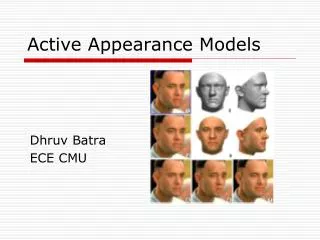
Appearance Models • Shape models represent shape variation • Eigen-models can represent texture variation • Combined appearance models represent both
Appearance Models • Statistical model of shape and texture • Generative model • general • specific • compact
Building Appearance Models • For each example extract shape vector • Build statistical shape model, Shape, x = (x1,y1, … , xn, yn)T
Building Appearance Models • For each example, extract texture vector Shape, x = (x1,y1, … , xn, yn)T Texture, g Warp to mean shape
Warping texture • Problem: • Given corresponding points in two images, how do we warp one into the other? • Two common solutions • Piece-wise linear using triangle mesh • Thin-plate spline interpolation
Interpolation using Triangles Region of interest enclosed by triangles. Moving nodes changes each triangle Just need to map regions between two triangles
Barycentric Co-ordinates Three linear equations in 3 unknowns
Interpolation using Triangles • To find out where each pixel in new image comes from in old image • Determine which triangle it is in • Compute its barycentric co-ordinates • Find equivalent point in equivalent triangle in original image • Only well defined in region of `convex hull’ of control points
Thin-Plate Spline Interpolation • Define a smooth mapping function (x’,y’)=f(x,y) such that • It maps each point (x,y) onto (x’,y’) and does something smooth in between. • Defined everywhere, even outside convex hull of control points
Thin-Plate Spline Interpolation • Function has form
Building Texture Models • For each example, extract texture vector • Normalise vectors (as for eigenfaces) • Build eigen-model Warp to mean shape Texture, g
Textured Shape Modes Generate position of control points Warp mean texture image (Mean points go to new points, X) Shape variation (texture fixed)
Combined Models • Shape and texture often correllated • When smile, shadows change (texture) and shape changes • Learning this correlation leads to more compact (and specific) model
Learning Correlations Model accounting for correlations between shape and texture Model assuming shape and texture independent
Learning Correlations • For each image in training set we have best fitting shape and texture param.s • Construct new vector, • Apply PCA (mean + eigenvec.s of covar.)
Combined Appearance Models Varying c changes both shape and texture
Combined Appearance Model • Generate shape, X, and texture, g • Warp texture so mean control points lie on new X
Sub-cortical structures • 72 examples • 123 points • 5000 pixel model Caudate Nucleus Lentiform Nucleus Ventricles
Shape and Texture Modes Shape variation (texture fixed) Texture variation (shape fixed)
Combined Appearance Model • Shape and texture correlated
Full brain slice Shape: Texture:
Full brain slice Combined Mode 1 Combined Mode 2
Problems with viewpoint • Models require all points visible • Sometimes a problem for 2D images of 3D objects • Small rotations (+/-30o) of face modelled well • Large rotations cause occlusions • Eg eye hidden behind nose etc • Solutions • Use multiple `view based’ 2D models • Use a full 3D model
View-Based Models • Build 3 distinct models • Exploit symmetry Profile Profile (Reflected) Half-Profile Half-Profile (Reflected) Frontal
Face Profile Model Mode 1: Mode 2:
Half-Profile Model Mode 1: Mode 2:
3D Models • Use 3D shape model (3n-D vectors) • Points control a polyhedral mesh • Texture mapped onto mesh and modelled • Reconstruct by generating new texture and mapping onto 3D mesh described by shape model
3D Models Mesh = + Texture
Interpreting Images (1) Place model in image Measure Difference Update Model Iterate