Simplified Payment Processing with Nexion and GoodX for Healthcare Providers
150 likes | 273 Vues
Streamline your payment processes using Nexion, the comprehensive payment administration solution integrated with GoodX. To begin, select the "Cash Register" icon and specify the register to be used. After choosing the patient and doctor, enter the payment amount and select the payment type (e.g., card payment). The payment screen auto-fills with beneficiary details, allowing for swift processing. Transactions are automatically allocated to patient records on GoodX, ensuring a seamless experience. Approved transactions generate receipts for both the patient and the practice.


Simplified Payment Processing with Nexion and GoodX for Healthcare Providers
E N D
Presentation Transcript
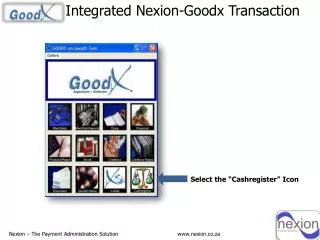
Integrated Nexion-Goodx Transaction Select the “Cashregister” Icon Nexion – The Payment Administration Solution www.nexion.co.za
Specify cash register to use… Select Register Click “OK” Nexion – The Payment Administration Solution www.nexion.co.za
Select Patient Payments… Patient Payments… Nexion – The Payment Administration Solution www.nexion.co.za
Select the Doctor to whom the patient belongs… Select Doctor Click “OK” Nexion – The Payment Administration Solution www.nexion.co.za
Select the Patient… Select Patient Click “OK” Nexion – The Payment Administration Solution www.nexion.co.za
Enter the Amount… Enter Amount Click “Continue” Nexion – The Payment Administration Solution www.nexion.co.za
Allocate the Payment.. Select Patient.. Click “Done” Nexion – The Payment Administration Solution www.nexion.co.za
Select Payment Type … i.e. Card Payment.. Click “Nexion” Nexion – The Payment Administration Solution www.nexion.co.za
Payment Screen The Beneficiary, Amount, Transaction Ref#: & Member Ref#: are pre-populated and Automatically allocated on GoodX. Beneficiary Amount Transaction Ref#: Member Ref#: Click the “Process Card Trxn Button” The Selected Beneficiary and transaction will be displayed on the Nexion Reports Nexion – The Payment Administration Solution www.nexion.co.za
Swipe the Card… Nexion – The Payment Administration Solution www.nexion.co.za
Select Transaction Type Select Account 1.Savings 2. Cheque 3. Credit 4. Nexion Nexion – The Payment Administration Solution www.nexion.co.za
Select Budget Facility Budget Period 1. No Budget 2. 3 months 3. 6 months 4.12 months 5. 24 months 6. 36 months Nexion – The Payment Administration Solution www.nexion.co.za
Confirm.. Confirm Amount R20.00 Press Enter Nexion – The Payment Administration Solution www.nexion.co.za
Transaction approved – Receipt printed Patient signs – one copy for patient, one for the practice Nexion – The Payment Administration Solution www.nexion.co.za
This Payment is Automatically posted to the selected Patient record on Goodx. 0.00 Nexion – The Payment Administration Solution www.nexion.co.za