Understanding For Loops and Their Applications in Python
160 likes | 279 Vues
Explore the concept of for loops in Python, which are used when the number of iterations is predetermined. This tutorial covers the basic structure of for loops, how to iterate over lists, and how to combine loops with other constructs like range and conditional statements. Key examples are provided for varying scenarios, including calculations with numbers, string manipulations, and nested loops. The tutorial also highlights the difference between for loops and while loops, making it an essential guide for beginners in Python programming.


Understanding For Loops and Their Applications in Python
E N D
Presentation Transcript
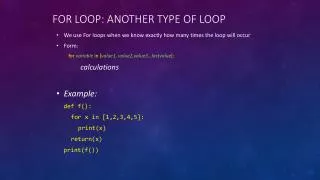
For loop: another type of loop • We use For loops when we know exactly how many times the loop will occur • Form: forvariablein [value1, value2,value3…lastvalue]: calculations • Example: def f(): for x in [1,2,3,4,5]: print(x) return(x) print(f())
More for loops: def f(): for x in [1,3,5,7,9]: print(x) return(x) print(f()) def f(): for x in [2,7,1,9,4]: print(x) return(x) print(f())
More for loops: def f(): y = 0 ct = 0 for x in [3.2, 7.1, 8.0, 3.4, 5.1]: print("including " + str(x)) ct +=1 y = y + x return(y/ct) print(f())
Loops with strings: def f(y): ct = 0 for x in ["puppy","bunny","puppy","bird","echidna","puppy"]: if x == y: ct += 1 return(ct) print(f("puppy"))
More for loops: def f(): for x in [0,1,2,3,4]: print(x) return(x) print(f()) • Shortcut: using range def f(): for x in range(5): # range(5) = [0,1,2,3,4] print(x) return(x) print(f())
Same? def whilefunc(y): count = 0 total = 0 while (count < y): total += count count += 1 return (total) print(whilefunc(5)) def forfunc(y): total = 0 for x in range(y): total += x return(total) print(forfunc(5))
More on Range: def f(): for x in range(-3,3): # from -3 up to but not including 3, e.g., [-3,-2,-1,0,1,2] print(x) return(x) print(f()) def f(): for x in range(-3,3,2): # from -3 up to but not including 3, by increments of 2, e.g., [-3,-1,1] print(x) return(x) print(f()) (Can we make a loop go backwards?)
What does this do? def f(ls): y = 1000 total = 0 for x in ls: total = total + int(x) * int(y) y /=10 return(total) print(f(["2","7","1","9"]))
How about this? def f(z): y = int(input("enter a number: ")) for x in range(1,y): for q in range(1,z): print (str(q)+ "*"+str(x)+"=\t"+str(x*q)) print ("\n") return f(4)
What does this do? def f(): strvar = input("enter a string: ") var1 = "" for x in range(len(strvar) - 1,-1,-1): var1 += strvar[x]; return(var1) print(f())
This one? def f(): strvar = input("enter a number: ") y = 1 z = 0 var1 = "" for x in range(len(strvar) - 1,-1,-1): z += int(strvar[x]) * y; y*=10 return(z) print(f())
defgib(w,n): v = "aeiouy" for x in w: if x in v: n += "ithag" n+=x return(n) print(gib("puppy",""))
What does this give you? def f(lv): x = len(lv) print(x) for y in range(0,x): if "t" in lv[y]: print(lv[y]) return listvar = ["ham","am","boat","goat","there","anywhere"] f(listvar)
What does this do? deff(word): high = len(word) low = 0 newstr= "" for i in range(10): position = randrange(low, high) newstr+= word[position] return(newstr) wvar = "sesquipedalian" print(f(wvar))
What does this do? def k(m,n): v = [] for x in range(m): ls = [] for y in range(n): ls.append(0) v.append(ls) return(v) m = k(4,5) for x in range(4): print(m[x])