Download
1 / 10
110 likes | 236 Vues
This guide provides a step-by-step overview of accessing the PKI login page and successfully placing a bid in an auction. Begin by selecting your key to enter the PKI login. Follow through necessary prompts to select your certificate and organization, ensuring you wait briefly for each step. Once logged in and redirected to the auction page, navigate to the catalogue name, select your desired auction lot, and proceed to place your bid by entering your quote price and submitting it. Ensure you follow the outlined steps carefully for a smooth experience.

E N D
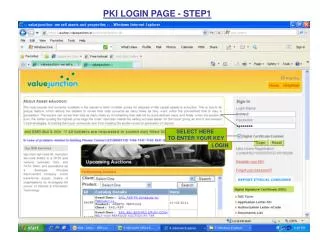
PKI LOGIN PAGE - STEP1 SELECT HERE TO ENTER YOUR KEY LOGIN
PKI LOGIN PAGE – STEP2 SELECT PKI CIRTIFICATE & CLICK ON OK
PKI LOGIN PAGE – STEP3 WAIT FOR A MOMENT- DO NOT CLICK ANYWHERE
PKI LOGIN PAGE – STEP4 SELECT PKI ORGNIZATION & CLICK ON ACCEPT
PKI LOGIN PAGE – STEP5 SELECT CIRTIFICATE & CLICK ON OK
reached to auction page CLICK ON THE CATALOGUE NAME
AUCTION BIDDING PAGE FOR BIDDING SELECT AUCTION LOT CLICK
PLACE YOUR BID QUOTE PRICE SUBMIT BID