1 / 62

Engaging Interaction: The Zero Button Mouse Experience

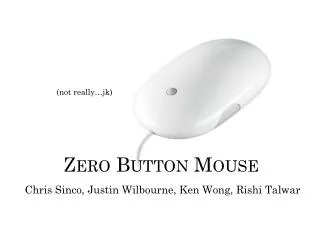
Discover the innovative design of the Zero Button Mouse, developed by Chris Sinco, Justin Wilbourne, Ken Wong, and Rishi Talwar. This unique input device is all about playful interaction and intuitive gestures, enabling users to engage with targets and widgets effortlessly. The mouse emphasizes activation and deactivation of targets through various angles, promoting dynamic user experiences. As users corner the challenge of achieving their goals, they navigate through animated flipbooks and letter gestures, enhancing their interaction. Get ready to meet your objectives with ease and fun!
niles
Télécharger la présentation

Engaging Interaction: The Zero Button Mouse Experience

An Image/Link below is provided (as is) to download presentation Download Policy: Content on the Website is provided to you AS IS for your information and personal use and may not be sold / licensed / shared on other websites without getting consent from its author. Content is provided to you AS IS for your information and personal use only. Download presentation by click this link. While downloading, if for some reason you are not able to download a presentation, the publisher may have deleted the file from their server. During download, if you can't get a presentation, the file might be deleted by the publisher.

E N D

Presentation Transcript


  1. Zero Button Mouse Chris Sinco, Justin Wilbourne, Ken Wong, RishiTalwar (not really…jk)

  2. Fudge-Striped Cookie Nudge Targets/Widgets Letter-Gesture Initial Sketches Goal-push Activation

  3. Mouse Area Fan

  4. ?

  5. Flipbooks

  6. Letter Gesture

  7. Tunnel

  8. Play

  9. Play

  10. Play

  11. Play

  12. Play

  13. Play

  14. Play

  15. Play

  16. Play

  17. Play

  18. Play

  19. The Casual Fan

  20. Meet the target. Sup.

  21. The mouse makes its entrance.

  22. Activate the target! 45° arch to commit to selection Ignore the target! 90° arch for escape selection 45° arch to commit to selection Activate the target!

  23. Ignore the target!

  24. Activate the target!

  25. Activate the target!

  26. Target activated!

  27. Target activated!

  28. Target activated!

  29. Target activated!

  30. Target activated!

  31. When not activated, the mouse cursor can backtrack, also. Oops, oh fudge!
  32. Oops, oh fudge!

  33. Oops, oh fudge!

  34. Phew!

  35. Simply moving forward will also ignore the target.

More Related