Comprehensive Tutorial for CCP Solid Solution Calculation Using VASP
This tutorial guides users through the process of executing a cubic close-packed (CCP) solid solution calculation for the Pt9Ir99 alloy using VASP. It details engine selection, job creation, and computation requirements, emphasizing the potential long wait times. Users will learn how to manage directories, submit jobs, and extract results effectively. Start by selecting the engine and filling out the submission form, then proceed to create and run the necessary computational jobs. Follow the structured steps to ensure accurate optimization results.


Comprehensive Tutorial for CCP Solid Solution Calculation Using VASP
E N D
Presentation Transcript
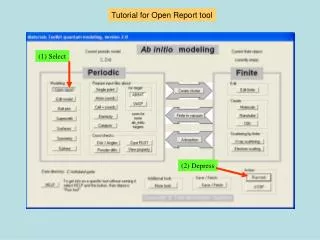
Select an engine Select Depress
The ccp solid-solution form Beware! This might require months of computing time… Vegard’s law will be assumed for individual jobs Select Last chance to select the engine
Only one form for a typical job to fill out Default title This will be a long computation anyway. Weigh carefully this item! Jobs will be here
Just the creation of 108 jobs will take a good 3 minutes on a fast machine
The VASP submission form indicated directory 0087 Double-click to open directory
Directories are numbered 000 to 108 Double-click on e.g. directory 099 Directories 002, 005, 103 and 106 are missing.
To run the job, bring directory 099 to the execution machine and double-click on RunJob.bat To extract the results, bring directory 099 back to the modeling machine and double-click on PostProc.bat. The essential optimization results will then be found in JobReport.