Download
1 / 6
60 likes | 169 Vues
This guide provides essential tips for designing documents that improve readability and visual appeal. It covers the use of headings, text layout, graphics, and white space to emphasize important information. Learn about the effective use of serif and sans-serif fonts, the benefits of PDF format for digital distribution, and important formatting considerations when presenting tables and figures. Gain insights into maintaining document structure with proper headings, margins, citations, and style sheets to enhance comprehension and accessibility for your readers.

E N D
Helping your reader get the message Designing Documents for Readability
Visual elements of a page • Text • Headings and titles • Graphics • Simple separators (lines and boxes) • White space
Use white space to set off important items or markers. • Figures and tables • Titles of sections • Titles of figures and tables • Headings
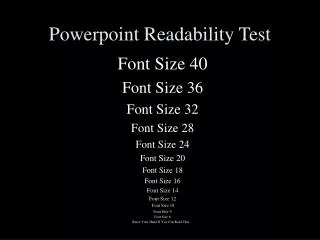
Use serif and sans-serif fonts wisely. • Serif – for longer blocks of text that are up close to the reader. • Sans-serif – for text that will be projected or seen from a distance.
Disseminating documents digitally: • Convert documents to PDF (Portable Document File) to preserve formatting. • When sharing documents for review (before they are finalized), use Track Changes in MS Word – don’t convert to PDF until final draft.
Document Paper and covers Single-sided? Margins Sections Start on right-facing pages? Use line or other graphic device? Headings and Subheadings Position Font & size & characteristics Main Text Font Paragraph indentation? Line spacing Page Numbering Where on page? What font/type? Different for different sections? Tables and Figures Integrated with text?? Where do labels go?? References Citations in parentheses in text? Reference list goes where? Abbreviations, Acronyms, Equations Include glossary? Where? Acronyms spelled out where? Mathematical variables explained where? Style Sheet Checklist