"Comprehensive Guide to WebAdvisor Installation and Deployment"
440 likes | 577 Vues
This session covers the complete process of installing and configuring WebAdvisor, from assumptions to deployment. Jeff Butera from Hampshire College leads the discussion, emphasizing prerequisites such as having Apache ANT and Java set up correctly on your PC. Key topics include downloading necessary files, setting environment variables, configuring the application server, and creating WAR files for deployment. Attendees will learn critical steps in assessing server requirements and ensuring smooth operation, all tailored to facilitate a successful WebAdvisor integration.


"Comprehensive Guide to WebAdvisor Installation and Deployment"
E N D
Presentation Transcript
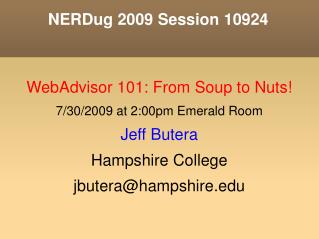
NERDug 2009 Session 10924 • WebAdvisor 101: From Soup to Nuts! • 7/30/2009 at 2:00pm Emerald Room • Jeff Butera • Hampshire College • jbutera@hampshire.edu
Outline • Assumptions • Names • Places • ANT • Installing • Configuring • Deploying
Assumptions • R18 Installed and running • SA Valet installed on a PC • Java installed on PC with SA Valet • Must have full Java SDK (dev kit) • JRE will NOT suffice for ant! • Must set JAVA_HOME environment variable
Names (aka: Players) • ANT: open source from apache • WAR: web archive file • servlet: java component • deployment: location of source on PC
Places (aka: servers) • Colleague Application: windows/*nix • Web Server: windows/*nix • SA Valet PC: windows • Tomcat • apache/servletexec • Sun Java server
Installing ANT • http://ant.apache.org • Download (binary, if available) • Must also have java installed • Unzip • Must set PATH variable, eg: • ...;C:\Program Files\ant-1.7.1\bin
WebAdvisor Installation • Download from Datatel • http://clients.datatel.com • Must have SysAdmin rights • Solution Updates • Software Downloads • WebAdvisor 3.1.4 (6/25/2009)
WebAdvisor Installshield • Must have client ID/password to run • Place in ”typical” location, eg: C:\Datatel\WebAdvisor • Deployment directory • Use typical value, eg: WAMAIN • Files get placed into (need this for SA Valet!) C:\Datatel\WebAdvisor\WAMAIN
Configuration • Some config in UI, some in SA Valet • UI: UT – HLKM lookup 'XWMN' (add) • Desc: WAMAIN Servlet • Open in New Window: NO • Link Type: http/https • Target Server Addr: server.college.edu • Target Server Port: 80, 44,3 8080, 8443, etc • Target Server Path List: WebAdvisor • User Interfaces: WEB
Configuration • UI: UT – SVCF lookup WAMAIN (add) • Desc: Servlet for WebAdvisor • URL Pattern: WebAdvisor • User Interface: WEB • Servlet Usage: Default • Root URL Hyperlink: XWMN
Configuration • Detail to SVBP – Behavior Parameters • Max Report Tries: 3 • JavaScript Verification: NO (mult submit) • Autocomplete Enabled: NO (credit cards)
Configuration • UI: UT – SVCF lookup WAMAINHELP (add) • Desc: Help Servlet for WebAdvisor • URL Pattern: HelpServlet • User Interface: WEB • Servlet Usage: Default • Root URL Hyperlink: XWMN • Save out, then go back to SVCF for WAMAIN • Add WAMAINHELP under Help Servlet
Configuration • SA Valet – Right click on env name • Click ”Add New Web Server” • Give it a name
Configuration • SA Valet - Right click on web server • Click ”Properties” • Deploy: C:\Datatel\WebAdvisor\WAMAIN
Configuration • Right click on web server • Click ”Configure Global Parameters” • DMI Host: Colleague server (name/IP) • DMI Port: APP Listener port (in SA Valet) • App. Environment: name_rt • Secure Flag: Y/N (ssl)
Configuration • Right click on web server • Click ”Configure Servlet Parameters” • Click ”WebAdvisor” • Serlet ID: WAMAIN • Servlet Mapping: /WebAdvisor
Configuration • Right click on web server • Click ”Configure Servlet Parameters” • Click ”Help Servlet” • Serlet ID: WAMAINHELP • Servlet Mapping: /HelpServlet
Configuration • Right click on web server • Click ”Update License Key” • Enter client ID/password • Will verify your license • Will write key and configuration to web.xml • Only needs to be done once • (Unless you delete deploy directory/web.xml)
Configuration • Setup ”guest” user • Add a new PERSON record (NAE) for ”guest” • Add a username however you do this • Setup DRUS with • Opers Equiv: DMI_REG_GUEST • Security Classes: DMI_REG_GUEST
Configuration • UT-SOD setup • Add username & PERSON ID • User Interface/Menu/Timeout • UI * null • WEB CORE-WBMAIN 600 • Security Classes • Build list like UI security • Do NOT list process ID instead of mnemonic!
Configuration • WSPM setup: • Guest Users Opers: your SOD record • User Name Output Format (see help for options) • Default Menu Mnemonic: CORE-WBMAIN • Default Theme: ORIGINAL • Security Token Expires: 600 • Excessive Hook Threshold: 600
Deploying • Need to build WAR file • Open DOS window (run cmd.exe) • Change into Deployment directory • cd C:\Datatel\WebAdvisor\WAMAIN • Run ANT • ant • Will take 5-10 seconds, build webadvisor.war
Deploying • Need to deploy WAR file to web server • Different depending on • tomcat • apache/servlet exec • IIS/servlet exec • Sun Java Server (SunOne/iPlanet)
Testing • Does it work? • Try accessing it! • http://address:port / path_list / url_pattern • Address: (UI) HLKM • Port: (UI) HLKM • Path list: (UI) HLKM + name of WAR file • Url pattern: (UI) SVCF + (SA) Servlet Properties https://thehub.hampshire.edu:8443/WebAdvisor/WebAdvisor
All Done! • Comments? • Questions? • Complaints? Jeff Butera jeff@hampshire.edu