Mastering Blackboard Fundamentals at McDaniel College: A Comprehensive Training Workshop
250 likes | 378 Vues
Join us for a hands-on training session on Blackboard Fundamentals at McDaniel College from July 23-24, 2002. Led by Dr. Meaghan N. Duff, a Senior Learning Solutions Consultant at Blackboard, this workshop will cover essential features such as course management, user administration, and assessment options. Participants will navigate the Blackboard interface, explore tools for content delivery, and learn strategies for effective online teaching. This workshop is designed for educators looking to enhance their online and blended course offerings using Blackboard's versatile platform.


Mastering Blackboard Fundamentals at McDaniel College: A Comprehensive Training Workshop
E N D
Presentation Transcript
Welcome to Blackboard Blackboard Fundamentals McDaniel College July 23-24, 2002
Introductions Meaghan N. Duff, Ph.D. • Senior Learning Solutions Consultant, Blackboard, Inc. • Professional Experience • End User Trainer, Prometheus/The George Washington University • Assistant Professor, Vanderbilt University • Assistant Professor, Western Kentucky University • Ph.D., American History, The College of William and Mary
Introductions Please introduce yourself… • Name • Position/Title • Course(s) you teach • Experience with Bb software • How you plan to use Bb • Supplement existing course • Teach entirely online • Mixed format
Agenda • Demonstration • Navigation in a course, Student View, Instructor Control Panel • Content Areas • Announcements, Staff information, External links, Course Information/Documents • User Management • Registration/Enrollment, Create/Modify users, Create/Modify groups • Assessment Manager • Assessment options, Question types, Add questions, Preview and modify, Availability, Setting properties, Online Grade Book • Course Management & Security • Area Availability, Course Availability, Enabling/Disabling course functions, Securing the course, Customization • Resources and Materials • Blackboard Instructor Center – Training Center • Useful Blackboard Links Document
Resources and Materials http://trainingcenter.blackboard.com • Online Training • Tip Sheets • Tutorials • Manuals
What is Blackboard? • Computer software that runs on a server • Available anywhere via the Internet • Accessed with a web browser • Flexible • Customizable • User Friendly • Many tools, many options
Many Tools, Many Options • File storage and retrieval • Asynchronous Discussion Board • Synchronous chat and whiteboard • Group Areas • “Digital Dropbox” for sending and receiving assignments • Assessments and Surveys • Online Gradebook
It’s sort of like . . . Tupperware! • Bring existing materials into Blackboard • Word, Excel, PowerPoint, PDF files, etc. • Integrate text, graphics, audio/video, multimedia into your course • Include CD-ROM material • No need to learn HTML code • What does it look like?
The Course • The main Bb system component • Course roles in Blackboard • Student, Instructor, Teaching Assistant, Grader, Course Builder. • Each role corresponds with specific privileges • Courses can be copied and recycled at end of semester
Navigation in Blackboard • Use the “built-in” navigation buttons • Course navigation buttons • Course navigation menu (“Breadcrumb Trail”) • As much as possible, avoid using the Back/Forward buttons in your browser. • Bb stores course content in database • Need to move forward, requesting new data
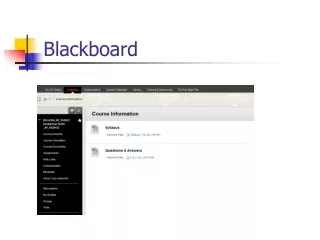
Control Panel – Instructor’s View • Navigation Button Bar • Left Frame • Students cannot see the control panel! • Course controls enable customization of individual courses. • Instructors post content • students view content
Login Information http://learning.blackboard.com USERNAME: train35 train36 train37 PASSWORD: train35 train36 train37 lowercase lowercase
Who does what? • Administrators • Create course shells and or course templates • Create and remove user accounts on the system • Enroll students in course(s) • Instructors (and TAs) • Customize course display • Add, modify, and remove course content • Create and manage Groups • Create Discussion forums
Blackboard Text Options • HTML • Renders all HTML tags – Primarily used if copying and pasting HTML from another source. • Plain Text • Allows instructors to insert HTML tags without being rendered • Smart Text • Renders HTML but does not require tags for line or paragraph breaks • Web addresses entered in the URL format
Online Course Policies
Course Policies and Procedures • Attendance • Decide how you will determine attendance. • Require participation in threaded discussions, virtual classroom chats, etc. • Assign due dates and times for assignments. • Academic Dishonesty • Exams/Quizzes • Papers • Assignments
Course Policies and Procedures • Courtesy Code • Create standards for conduct and address etiquette issues in writing emails, posting and responding to threaded discussions, and using the chat areas. • Email and Drop Box Procedures • General email guidelines • Naming convention for submitting assignments • Use of electronic attachments • common technology formats (.rtf, .pdf, .html)
Course Policies and Procedures • Technical Assistance • Who? Where? When? How? • Instructor Responsibility • State what students can expect from you • Consider how often you will respond to email and discussion board postings • Set day/time for office hours • Virtual classroom (online) • Office meeting (traditional)
Removing students from courses When a student is removed from a course the following information . . . • Is removed automatically: • Name from the student roster • Student Homepage • Student Drop Box/Drop Box Files • Grades/Assessments • Group File Exchange- any files added by the student • Is not removed: • Student Input to Virtual Chat Archives • Student Messages posted to the Discussion Board • Student files in the Instructor's Drop Box (NOTE: there is not a username associated with the file, only the file name and file content.) • Student Data in Course Statistics
Workshop Feedback
Workshop Feedback http://www.formsite.com/blackboard/BlackboardWorkshop Note: ("BlackboardWorkshop") is case sensitive -- you need the capital 'B' and capital 'W'