Empowering Education Through Digital Storytelling: A Guide for Teachers
Digital storytelling is an innovative way to engage students by combining narrative with multimedia elements such as images, video, and narration. This approach enhances learning and retention by fostering active participation. Educators can implement digital storytelling in their lessons, allowing students to express themselves creatively and build digital skills. From scriptwriting to editing, the process includes selecting a topic, conducting research, and arranging visual and auditory components. Discover tips, best practices, and assessment strategies to optimize your digital storytelling projects in the classroom.

Empowering Education Through Digital Storytelling: A Guide for Teachers
E N D
Presentation Transcript
Digital Storytelling Shawn BrandtTechnology Integration SpecialistNew Prague Area Schoolswww.np.k12.mn.us/TechIntegration
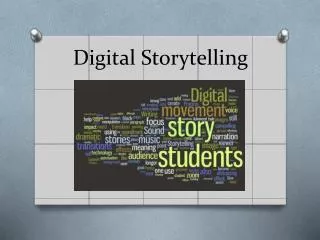
What is Digital Storytelling? • Using a story to present information… • The use of computers, pictures, video, narration, and music to create, share, and enhance stories.
Why Digital Storytelling? Tell me and I forget. Teach me and I remember. Involve me and I learn. ~Benjamin Franklin
We learn… 10% of what we Read 20% of what we Hear 30% of what we See 40% of what we See and Hear 70% of what we Discuss with others 80% of what we Experience personally 95% of what we Teach someone else ~William Glasser http://www.slideshare.net/cliotech/digital-storytelling-26161
How is it different? Traditional Report • Research • Write • Edit • Submit Digital Storytelling • Research • Write • Edit • Read, collect images • Read, re-read, record • Review, enhance • Publish, present
Helpful Tips A Good Recipe… • 250 words (example) http://www.photobus.co.uk/dstory_pages/what_dstory.html
Helpful Tips • A Good Recipe… • 250 words (example) • Around a dozen pictures • About 2 minutes in length http://www.photobus.co.uk/dstory_pages/what_dstory.html
Helpful Tips • Teachers… • Use a checklist with due dates • Use a rubric for assessments
Helpful Tips • Create a project folder… • Documents • Images • Video clips • Audio files • Project files
Helpful Tips • Headset Microphones • USB preferred • “Noise Cancelling”
Helpful Tips • Adjust the microphone • Avoid “puffs” into the mic • Move mic below or to the side of your mouth • Check microphone settings and volume control
Helpful Tips • Check your volume… • Adjust the recording settings • Volume at 50% = audience should be able to hear comfortably
Digital Storytelling Process I already know how to use PhotoStory (MovieMaker, PowerPoint, etc.).Just let me get started.
Digital Storytelling Process • Set checkpoint due dates Select a Topic Research the Content Write the Script
Digital Storytelling Process Select a Topic Research the Content Write the Script Collect the Images
Digital Storytelling Process • Focus on the content, not the product Select a Topic Research the Content Write the Script Collect the Images Import & Arrange the Images
Digital Storytelling Process • The script guides the process • Digital Camera, Scanner, Google Images Research the Content Write the Script Collect the Images Import & Arrange the Images Narration, Audio & Music
Common mistake… “grabbing” the thumbnail image.
Thumbnail Full-Size
Digital Storytelling Process • Again, the script guides the process… • Arrange images according to the script Write the Script Collect the Images Import & Arrange the Images Narration, Audio & Music Save as a Video File
Digital Storytelling Process • Mark picture transitions on the script Collect the Images Import & Arrange the Images Narration, Audio & Music Distribution Format
Digital Storytelling Process • Project File (used to edit) • Video File (used to present) Import & Arrange the Images Narration, Audio & Music Distribution Format
Viewing Options • Most Common • Watch directly in Windows Media Player • Insert video clip into PowerPoint • Other ideas • Burn to CD • Post to a website • Cable public access channel