1 / 8

Explore Orbit Information and MISR Imagery with the Browse Tool

Access detailed orbit information and imagery using the Browse Tool. Select your region and desired time range to view orbit data and visualize crossing paths. Modify orbit or camera selections for tailored results. Discover true-color MISR imagery with a 2.2 km resolution, focusing on a specified day to examine map paths. Enhance your understanding of satellite data and imagery with user-friendly navigation tools designed for exploration and analysis.

onslow
Télécharger la présentation

Explore Orbit Information and MISR Imagery with the Browse Tool

An Image/Link below is provided (as is) to download presentation Download Policy: Content on the Website is provided to you AS IS for your information and personal use and may not be sold / licensed / shared on other websites without getting consent from its author. Content is provided to you AS IS for your information and personal use only. Download presentation by click this link. While downloading, if for some reason you are not able to download a presentation, the publisher may have deleted the file from their server. During download, if you can't get a presentation, the file might be deleted by the publisher.

E N D

Presentation Transcript


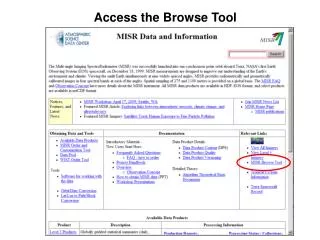
  1. Access the Browse Tool

  2. Select the Region and Time Range Select to see Orbit Information

  3. Orbit Information Change the orbit or camera selections and Show crossing paths Select to View the Image

  4. Orbit Information and View the Image

  5. MISR Imagery – Browse Tool true-color images, 2.2km resolution

  6. Select day to view map
  7. Paths

More Related