Media Archive Status
This document outlines the recent developments and future requirements for the Media Archive system, highlighting improvements in file conversion, data migration, and software updates. We discuss the conversion of DV.MOV files to AVI, the implementation of FLV external encoding, and recent changes to system configurations. Additionally, it addresses current space requirements and the challenges of WMV playback on CDS. Key insights into HD master format testing and expectations for future formats align with technological advancements and media management needs.

Media Archive Status
E N D
Presentation Transcript
Media Archive Status 29/10/2007
Motivation • Summarise the past • DV MOV 2 AVI conversion • Recent data migration • FLV external encoder • Recentconfigurationchanges • Recent changes of the Media Archiver software • Test of HD master format • Convince you that at presentMedia Archivecan growwithout active help from IT-IS • Discuss the future • Space requirements • WMV playback on CDS • FLV format on CDS • HD video master format
Overview NB: No master file is encoded if Media Archiver cannot read its metadata
DV MOV to AVI conversion • How to convert DV MOV files into DV AVI files • Impossible on a Mac? • Found, bought (~150 CHF) and tested: FireStore DV Conversion Suite • Converted 39 files provided • It’s been decided to keep both DV MOV and DV AVI files in the archive • Handed over to the Video team
Recent configuration changes • New worker node dedicated to photos • Retry erroneous slave files after 4 hours instead of 1 day; abandon after 8 days: 8 days
Recent changes in the Media Archiver software • Notify CDS only when all slave files are ready (complex – have to synchronise on master files to be sure of semantic correctness) • Implemented a “DFS offline” check • Support for external encoders
FLV External Encoder • We’ve tested ffmpeg.exe to generate FLV videos: ffmpeg.mplayerhq.hu/download.html • Current statistics: 100% OK(the only 5 errors were related to bad master files) • IT-UDS has complete control over: • The version of ffmpeg used • How it is invoked • Generation logs
Tests of HD master formats • We’ve looked at H.264 MPEG-4 codec (AVC) • We’ve decided it isstilltooearly
Formats stored in Media Archive • Current funtional needs are satisfied
Media Archive interventions IT-UDS • More spaceneeded • Media Archiver does not work according to specification • Metadata not present or not found • Bad master file IT-IS • Specification changes
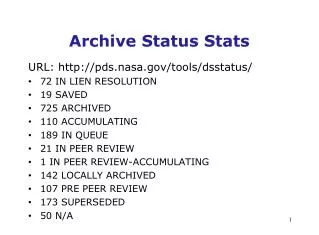
Current statistics • Photo: • ERROR 1737 • INSYNC 17425 • Audio: • INSYNC 543 • NEW 1 • Video: • BUSY 3 • ERROR 4 • INSYNC 563 • MSTRCHD 19
WMV playback on CDS • Playback windows should be bigger • Higher resolution file should be used • Streaming server should be used instead of the HTTP serverhttp://it-multimedia.web.cern.ch/it-multimedia/test/webcast/templates/Artificial_Intelligence/test/default_CDS_WMV_vs_improved_WMV_4_3.htm
FLV on CDS • Let’s see how it works:http://it-multimedia.web.cern.ch/it-multimedia/test/webcast/templates/Artificial_Intelligence/test/improved_WMV_vs_flash_4_3.htm • Implemented as external encoder, no support from IT-IS for the encoder
External Encoder Requirements • It supports allcurrent (and future!) master formats • It is reliable: • Always works for valid files (and returns 0) • Returns non-zero for invalid files • Does not get stuck
Future master format requirements • be supported and easy to read, • have good chances to stay supported and easy to read in the future, • be recognised by external customers of the archive: television companies (for video files) and newspapers and publishing houses (for photo files), • be the format in which the teams work and save their work, • be easy to process automatically with the available, well-supported tools
H.264 requirements for WMV • directshowfilters needed: • mp4 splitter - takes the files and splits the video and audio into two • H.264 codec