Deleting Internet Explorer Temporary Files Quick Reference Card
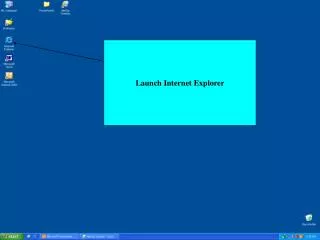
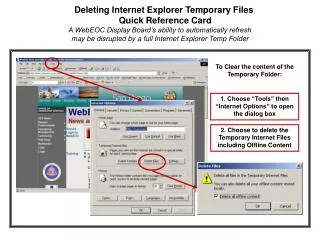
This quick reference card provides a step-by-step guide on deleting Internet Explorer's temporary files to ensure the WebEOC Display Board functions seamlessly. A full temporary folder can disrupt the automatic refresh of the display. Follow these steps: 1. Open Internet Explorer, click on "Tools," and select "Internet Options." 2. In the dialog box, choose to delete Temporary Internet Files, including Offline Content. Free up space and maintain optimal performance for your WebEOC system.

Deleting Internet Explorer Temporary Files Quick Reference Card
E N D
Presentation Transcript
Deleting Internet Explorer Temporary Files Quick Reference Card A WebEOC Display Board’s ability to automatically refresh may be disrupted by a full Internet Explorer Temp Folder To Clear the content of the Temporary Folder: 1. Choose “Tools” then “Internet Options” to open the dialog box 2. Choose to delete the Temporary Internet Files including Offline Content