Hyperlinks and Site Organization
270 likes | 380 Vues
This tutorial provides an in-depth exploration of using hyperlinks and organizing your website effectively. It covers internal and external hyperlinks, including anchors, image links, and mailto links. Discover how to structure your site, utilizing various layouts such as linear, hierarchical, and mixed structures. Also, learn about user-centered design principles that ensure your website meets user needs, enhances usability, and minimizes frustration. Whether you’re creating an informational or e-commerce site, this guide will help you build a user-friendly web presence.


Hyperlinks and Site Organization
E N D
Presentation Transcript
Hyperlinks and Site Organization Putting it together. . .
Tutorial Files • Some available from the Course Site • CT materials are linked to the resource page • http://homepages.wmich.edu/~rea/380/resources/
Hyperlinks • Internal • External • Both are a way to organize and take advantage of the power of hypertext. . . • They can be used for good. . . or bad. . .
Internal • Anchors • Must set an anchor on a page <a name="EMP">Employment</a> • Can also use an image <a name="PHOTO"><img src="Taylor.gif"></a>
Internal (cont.) • Must then add a hyperlink LINK TAG < a href="#EMP">Employment</a> • Anchor Hypertext REFerence • Case sensitive • </a> very important
Internal (cont.) • Can also use image <a href="#OTHER"><img src="Taylor.gif"></a> • BORDER PROPERTY <a href="#OTHER"><img src="Taylor.gif" border="0"></a>
Internal (cont.) • Sizing Properties/Attributes <a href="#OTHER"><img src="Taylor.gif“ height="50" width="70" border="0"></a>
External • Another Web page in your site <a href="other.htm">Other Interests</a> • A Web page outside of your site <a href="http://www.webmonkey.com"> Webmonkey</a>
External (cont.) • An e-mail link <a href="mailto:rea@lab2.cc.wmich.edu"> Doc Rea</a> • The TEXT of the link (in all cases) has no relation to the actual hyperlink.
Internal/External • Can also link to internal areas of an external document <a href="other.html#hobbies">My Hobbies</a>
More Hyperlinks • FTP <a href="ftp://ftp.wmich.edu">WMU FTP Site</a> • Usenet <a href="news://news.wmich.edu/"> WMU News</a>
Lynx • Let’s check it out • Open bronco.wmich.edu • Look at your page • Look at news
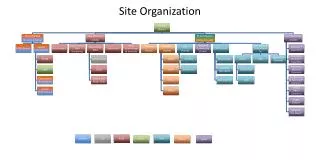
Web Site Structures • Use Storyboarding to organize your site (flowchart, diagram) • Linear (2.12) • Augmented Linear (2.13) • Hierarchical (2.13) • Mixed Structures (2.14) • Need some structure. . .
Pathnames • Textbook can be a little confusing. . . • Absolute Entire address http://homepages.wmich.edu/~rea/380/labs/lab2.htm • In text discusses (2.25) • Most browsers will refer to a file on a system drive as such • D:\380\labs\lab2.htm
Pathnames (cont.) • The A:\ dilemma • Uploading files or images working offline and then not working on Website • <img src="a:\image.gif"> • Or wherever you have your files • What happened?
Pathnames (cont.) • Relative Hyperlink is relative to location of both documents In BIS380 directory <a href="labs/lab2.htm">Lab 2</a> In labs directory <a href=“lab2.htm">Lab 2</a>
Pathnames (cont.) • The ../ of a relative is important. • Each ../ is up one directory
User Centered Design Who's Gonna Use this Thing?
User-Centered Web Development • A development or design process that meets users’ needs • Web Usability
Technology Acceptance Model (TAM) • Ease of Use • Minimum download time • Minimal frustration • Usefulness of Technology • Complete tasks • Website becomes a tool • Predictability means ease of use • Flourish is OK, but keep to a minimum
Lazar User-Centered Web Development Lifecycle • Define the mission of the Website and the user population • Collect the user requirements for the Website • Create the conceptual design of the Website
Lazar User-Centered Web Development Lifecycle (cont.) • Create the physical design of the Website • Perform usability testing on the Website • Implement and market the Website • Evaluate and improve the Website
Challenges to Web Development • Browser Type • Browser Version • Screen Size • Operating System • Download Time • Infrequency of use • Users don’t use your site all the time • Some exceptions, of course
Clients • Client versus User • Not the same people • Make sure the client has a clear purpose • Make sure the client is committed • Keep client frequently updated • Learn the client's interaction style and use it to your advantage
Clients versus Users • Melding Mission with Need • Determining User base • Negotiating soltions
Mission of the Website • Type of Website • Informational • E-Commerce • Entertainment • Target Population • local, international • audience-split? • WMU site