OS Exam – Domain 4 Networks
80 likes | 204 Vues
This document provides a comprehensive overview of networking capabilities in Windows, focusing on configuration parameters for connecting to networks and the Internet. It covers essential protocols and terminologies, including TCP/IP, DNS, DHCP, and others. Users will learn to establish connectivity through various technologies such as DSL, ISDN, and wireless connections. Additionally, the guide includes instructions for configuring browsers, managing security settings, and sharing resources. It's a vital resource for anyone looking to enhance their understanding of network setups and Internet connectivity.


OS Exam – Domain 4 Networks
E N D
Presentation Transcript
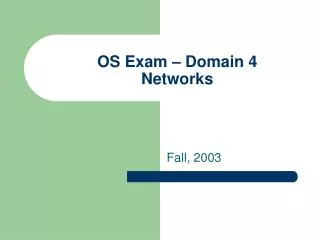
OS Exam – Domain 4Networks Fall, 2003
Domain 4 Sections • 4.1 – Identify the networking capabilities of Windows. Given configuration parameters, configure the OS to connect to a network • 4.2 – Identify the basic Internet protocols and terminologies. Identify procedures for establishing Internet connectivity. In a given scenario, configure the OS to connect to and use Internet resources.
4.1 – Identify/configure networking in Windows • Configuring protocols • TCP/IP • Gateway • Subnet mask • DNS • WINS • Static address management • Automatic address assignment (APIPA/DHCP) • IPX/SPX (NWLink) • Appletalk • NetBEUI/NetBIOS
Configuration of settings • Configuring client options • Microsoft • Novell • Verify the configuration • Understand the use of the following tools • IPCONFIG • WINIPCFG • PING • TRACERT • NSLOOKUP • Sharing resources • Setting permissions to shared resources • Network type and network card
4.2 – Internet protocols and terminologies • ISP • TCP/IP • E-mail (POP, SMTP, IMAP) • HTML • HTTP • HTTPS • SSL • Telnet • FTP • DNS
Connectivity technologies • Dial-up networking • DSL networking • ISDN networking • Cable connection • Satellite connection • Wireless connection • LAN
Installing and Configuring browsers • Enable/disable script support • Configure Proxy Settings • Configure security settings • Firewall protection under Windows XP
That’s it!!!!!!! (whew!)

![G9 – Antennas and Feedlines [4 exam questions - 4 groups]](https://cdn2.slideserve.com/4680362/g9-antennas-and-feedlines-4-exam-questions-4-groups-dt.jpg)