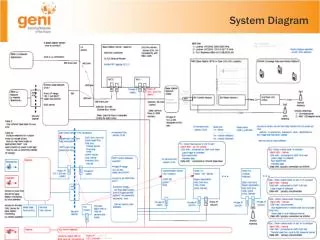
System Flow Diagram
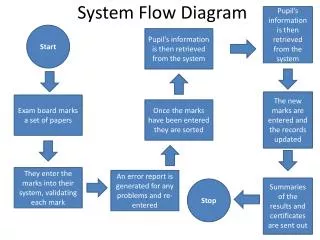
This document outlines the efficient workflow of the Pupil Information Management System. It covers the process from retrieving pupil information and entering new marks to updating records and generating error reports. Marks from the exam board are systematically sorted and validated, ensuring accuracy before summaries of results and certificates are sent to stakeholders. The flow diagram visualizes each step, facilitating better understanding and management of the pupil marks lifecycle.

System Flow Diagram
E N D
Presentation Transcript
Pupil’s information is then retrieved from the system Start Pupil’s information is then retrieved from the system System Flow Diagram The new marks are entered and the records updated Exam board marks a set of papers Once the marks have been entered they are sorted They enter the marks into their system, validating each mark An error report is generated for any problems and re-entered Summaries of the results and certificates are sent out Stop