
Mastering Digital Photography: Techniques and Tips for Beginners
E N D
Presentation Transcript
Technology2 Using a Digital Camera
Digital Images • Four sources • Digital cameras • Screen grabs • Copy and paste from the Internet • Scanners • Advantages of digital images • No film, reusable memory card instead • Photos can be viewed then deleted or saved • Photos can be transferred directly to PC
Outline of Session • Composing pictures • “The rule of thirds” • Using flash • Taking close up pictures • Using the camera to record video
Composing a Picture • Keep it simple • Remove distractions • Have plenty of light • Use a tripod
The Rule of Thirds • Circular points are the points of interest and focus for the viewer
Using the Flash • By default, flash will be used when needed • Flash is only effective within 5 metres • To change flash settings on your camera, keep pressing the lightning symbol until you get the correct mode
Turning Flash Off • Turn flash off for interiors, for close-up work and taking pictures through glass
Force Flash On • Flash fires even though the camera sensor thinks there is enough light
Red Eye • Fires an initial flash to close the subjects iris before taking the photo to prevent red eye
Close up Photography • Select the macro option on your camera (picture of a tulip) • Get as close as you can • Don’t use onboard flash, use other lighting instead • Select a neutral background • Use a tripod
Pre-Focus To focus on a subject not positioned in the centre of the picture • Press the shutter button down half way while making sure your subject is in the centre of the frame, • Keep the button pressed half way, recompose the picture and press the button completely to take the picture.
Recording Video • Use a tripod • Get as close as you can to the action • Make it short and to the point
Photographing Drawings • Make sure you are at right angles to the drawing • Glossy posters are difficult to photograph because of the way light reflects from them
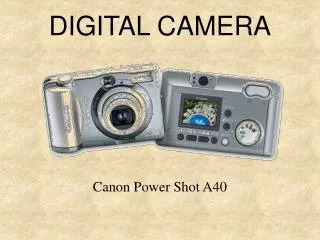
Buying a Camera • Look for 4megapixels or more resolution • Lithium ion rechargeable batteries are best • Look for some (at least 3x) optical zoom • A 256 Mb memory card will hold over 100 photos • The camera we are using cost €170 including the card, batteries and case
Exercises • Take a photo of the components, • Take a photo of the circuit with some components soldered, • Take a photo of the completed circuit