Transform Learning with Interactive Notebooks: A Comprehensive Guide for Educators
Discover the power of Interactive Notebooks as a dynamic instructional tool for students. Say goodbye to lost notes and forgotten assignments by utilizing a structured system that promotes creativity and organization. Each notebook features a Left Side for student creativity (warm-ups, reflections, diagrams) and a Right Side for teacher-directed notes (study guides, vocabulary). This guide includes maintenance tips, curriculum integration ideas, and engaging activities to help students interact with their learning. Enhance classroom productivity and retention with Interactive Notebooks!

Transform Learning with Interactive Notebooks: A Comprehensive Guide for Educators
E N D
Presentation Transcript
Interactive Notebook The Instructional Tool that has something for everyone
Have you ever heard a student say… I can’t find my…notes, homework, assignment… What did we do in class yesterday? I was absent yesterday, did we do anything? I need another copy of….I lost mine.
Get it together with an Interactive Notebook
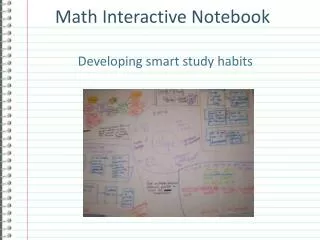
What is an Interactive Notebook? • A personalized textbook • A working portfolio – all of their notes, class work, quizzes – in one convenient spot.
Left Side – Right Side Orientation • The Left side is “left” for the student. This is the side where the student can show some creativity. These are the odd numbered pages. • The Right side is “Restricted” and contains teacher guided notes. These are the even numbered pages.
Examples of Left Side Assignments • Warm-Ups • Webs • Diagrams • Poems • Reflections • Comics
Right Side • The right side should only contain teacher directed guided notes. • For example: notes, study guides, vocabulary
Students will need • Notebook • Pens or pencils • Colored pencils • Glue sticks • Scissors • Highlighters • Access to a stapler and hole punch
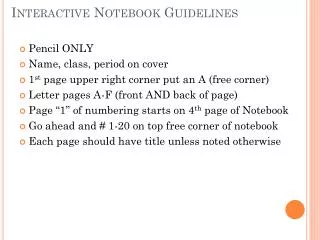
Maintaining the Interactive Notebook • No ripped out pages or torn corners • No doodling that doesn’t relate to notes • Notebook should only be used for your class • Date and number each page • List pages/descriptions on a table of contents kept at the front of the notebook
Video Overviews • From a history teacher: • http://www.youtube.com/watch?v=cxOIRsxX6ms • For a Science class: • http://www.youtube.com/watch?v=NVdRfuWe4YM&playnext=1&list=PL834F4975D28438E3&feature=results_video
Your Turn (aka: Toby’s Adventure Trail) • Using your own curriculum and the supplies on your table, create an interactive notebook page. • The right will be information you give to your students – lecture, guided reading, vocabulary… • The left will be an activity that causes the students to interact with what is on the right side. They might use pictures, organizers, foldables, poetry…. • The end result will be an exemplar you can use with students.
Discussion Questions: • 1. What benefits do you see for you and for students if you implement an interactive notebook system? • 2. What problems do you anticipate? And What can be done in order to overcome those problems? • 3. How can you incorporate a lesson you will teach soon into an interactive notebook?
Before you go… • 1. Conversation with the Coach (in your folder) – fill in the first available square with a question/comment for Tara. Leave it in your folder. • 2. Instructional Coach letter – FYI. Please let me know how I can help you and/or your groups/teams. • 3. Data team 2 month plans – give to Tara or leave in your folder. • 4. Clock hours yellow ½ sheet – turn in with clock hour form • 5. Return folder to the crate • Please clean up your area