Understanding Rootkits: Concealment Techniques and Security Recommendations
This presentation delves into rootkits, a set of software tools used to conceal running processes and system data from an operating system. Starting with an overview of rootkit technologies, it explains their workings, including manipulation of kernel structures and methods for evading detection. The discussion extends to practical demonstrations of rootkits, like HackerDefender, and essential security recommendations for Windows networks from CSU. Through this presentation, attendees will gain insights into rootkit detection and the future implications for operating system security.

Understanding Rootkits: Concealment Techniques and Security Recommendations
E N D
Presentation Transcript
Windows Security and Rootkits Mike Willard Mike.willard@colostate.edu January 2007
Introduction • Presentation Content • Root kit technologies overview • Demonstrations – HackerDefender, Pwdump, Password hash cracking. • CSU Windows Network Security Recommendations overview.
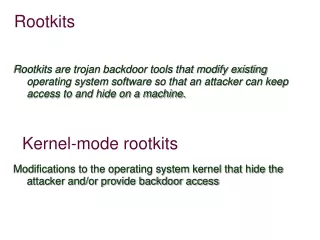
Rootkits • What is a rootkit? • Wikipedia.org - “A rootkit is a set of software tools intended to conceal running processes, files or system data from the operating system” • Term originally from UNIX hackers. Compiled modified versions of common system utilities. (ps, ls, etc.) • Refers to a technology rather than specific program.
How do Rootkits work? • Hardware is the lowest level and controls all access to physical resources. • Intel/x86 architecture implements security rings concept. Four rings (0-3). The lowest number is the “innermost ring” and has the greatest control. • Windows uses only ring 0 (kernel) and ring 3 (“Userland”).
How do Rootkits work? • Running code in ring 0 • Patch/replace the kernel on disk. • Modify the kernel in memory - kernel loadable modules (device drivers, etc). • Virtual Machine Based Rootkits (VMBR)
How do Rootkits work? • Manipulating the kernel • Can hide processes, files, network activity, etc. Intercept keystrokes. Access data. • Once hidden, can intercept keystrokes, etc. • Do this by manipulating tables in protected memory space. (Interrupt Descriptor Table, Import Address Table)
How do Rootkits work? • Surviving Reboot • Run key in registry. • Some .INI files (win.ini) • Replace or infect an existing EXE or DLL file. • Register as a driver. • Register as an add-on to an existing application (internet browser search bar). • Modify the boot loader (modify kernel before booting)
Detecting Rootkits • Watch for inconsistencies. • Remote file scan. • RootkitRevealer (Sysinternals) • Integrity Checkers (e.g. Tripwire)
Future of Rootkits/Hacking • Operating systems becoming more and more hardened • Embedded Systems. • Application Exploits. • Hardware Bios and Memory (e.g. Video Cards)
Windows Security Tasks • Auditing • Physical Security • Setup and Patching • Account Management • Restrict Anonymous Access and NTLM Authentication
Resources • “Rootkits” by Greg Hoglund and James Butler • Rootkit web site http://www.rootkit.com • Top Security Tools Compilation http://sectools.org • Sysinternals (now part of Microsoft) Utilities http://www.sysinternals.com • CSU Windows Security Guidelines (requires eID) http://windows.colostate.edu/index.aspx?page=for_it_admins • Windows Server 2003 Security Guide http://www.microsoft.com/downloads/details.aspx?FamilyID=8a2643c1-0685-4d89-b655-521ea6c7b4db&displaylang=en