
Uploaded by
rafe
10 SLIDES
243 VUES
100LIKES
Mastering PowerPoint Week 8: Advanced Excel Techniques and Visual Enhancements
DESCRIPTION
Dive into Week 8 with Maggie Mullins as we explore advanced Excel functionalities including dropdown lists, web queries, and conditional formatting. Learn how to effectively sort and filter data, utilize VLOOKUP for accurate data retrieval, and master key functions like AVERAGE and PMT. This week’s emphasis is on enhancing your presentation skills by integrating data insights from Excel into PowerPoint. Get ready to take your data handling and presentation skills to the next level!
Download
1 / 10
Télécharger la présentation 
Mastering PowerPoint Week 8: Advanced Excel Techniques and Visual Enhancements
An Image/Link below is provided (as is) to download presentation
Download Policy: Content on the Website is provided to you AS IS for your information and personal use and may not be sold / licensed / shared on other websites without getting consent from its author.
Content is provided to you AS IS for your information and personal use only.
Download presentation by click this link.
While downloading, if for some reason you are not able to download a presentation, the publisher may have deleted the file from their server.
During download, if you can't get a presentation, the file might be deleted by the publisher.
E N D
Presentation Transcript
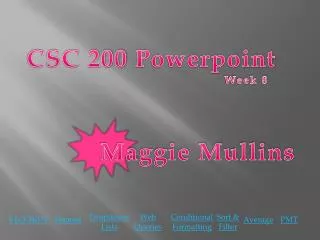
CSC 200 Powerpoint Week 8 Maggie Mullins Dropdown Lists Web Queries Conditional Formatting Sort & Filter VLOOKUP Themes Average PMT
VLOOKUP Home





















More Related