Inputting Chinese Characters Using Tsang-jei Method in Microsoft Word
In this activity, you will learn how to type a simple Chinese sentence using Microsoft Word by employing the Tsang-jei Input Method and Simplified Tsang-jei Input Method. Begin by launching Microsoft Word and switching to the Tsang-jei Input Method. Follow the provided codes to input the Chinese characters. Remember to press the spacebar to confirm your input. If multiple characters appear, select the correct one using a number key or mouse click. Finally, switch to the Simplified Tsang-jei Input Method to type the same characters once more.

Inputting Chinese Characters Using Tsang-jei Method in Microsoft Word
E N D
Presentation Transcript
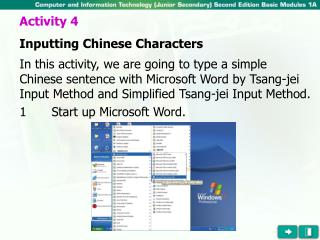
Activity 4 Inputting Chinese Characters In this activity, we are going to type a simple Chinese sentence with Microsoft Word by Tsang-jei Input Method and Simplified Tsang-jei Input Method. 1 Start up Microsoft Word.
Activity 4 Inputting Chinese Characters 2 Switch to the Tsang-jei Input Method. Click here to choose Tsang-jei Input Method.
Activity 4 Inputting Chinese Characters 3 Key in the following Chinese characters according to the given Tsang-jei codes. (After keying the codes, press the spacebar to confirm. If the screen displays a number of characters for you to choose, you can press the corresponding number button or click the character with a mouse.)
Activity 4 Inputting Chinese Characters
Activity 4 Inputting Chinese Characters 4 Switch to the Simplified Tsang-jei Input Method.
Activity 4 Inputting Chinese Characters 5 Type the above characters again by the Simplified Tsang-jei Input Method. (Note: You only need to key in the first and last codes of the character and then choose one character from the list.)
Activity 4 Inputting Chinese Characters 5 Type the above characters again by the Simplified Tsang-jei Input Method. (Note: You only need to key in the first and last codes of the character and then choose one character from the list.)