Resilient Cloud Architecture for Reliable Data Protection
Learn about building robust cloud solutions to safeguard against failure, downtime, and data corruption. Explore factors influencing uptime, error handling strategies, redundancy benefits, and system resiliency principles. Embrace failure awareness to enhance system reliability and performance.

Resilient Cloud Architecture for Reliable Data Protection
E N D
Presentation Transcript
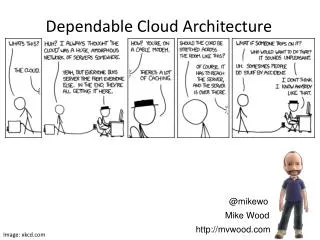
Dependable Cloud Architecture @mikewo Mike Wood http://mvwood.com Image: xkcd.com
Tack @mikewo Mike Wood http://mvwood.com Questions
“Failure is alwaysan option.” Image: Discovery Channel, Fair Use
What are we looking for? Protection From: Loss of Facilities Network Failure Hardware Failure Data Corruption Check out: http://bit.ly/wazbizcont Images: Office ClipArt & Godzilla Releasing Corp (Fair Use)
Human Error Image: FOX, Fair Use
What we’re trying to achieve Monitoring Resilient Solutions Image: Cohdra
Cost vs Risk $1, … ,000.00 99.999% To get more 9’s here add more 0’s here. Image: Office ClipArt
Monitoring Image: NASA
Functional Transparency Logging Messages Hardware Health Dependent Services Health Image: Office ClipArt
Analyze your Data Image: NASA
Resilience Image: Office ClipArt
Remember: Failure is always an option. Common Points of Failure • Machine\application crashes • Throttling (exceeding capacity) • Connectivity\Network • External service dependencies Focus less on the uptime of hardware and more about how the solution handles it WHEN something fails!
Try/catch != Resilient privatevoidcreateFile() { stringfileName = @"c:\workingDirectory\someFileName.txt"; try { File.Create(fileName); } catch(DirectoryNotFoundException ex) { Trace.WriteLine( String.Format("Unable to create {0}. {1}", fileName, ex)); throw; } } }
Image: Michael Wood Decompose your system…
Capacity Buffering Content Delivery Networks (CDN’s) Distributed Application Cache Local Content Cache Enables recovery during outages or spikes in load Image: jepler
Always carry a spare 0% Capacity, redirect all load 75% Capacity, half of our load 100% of load, 150% Capacity 75% Capacity, half of our load SYSTEM FAILURE!!! • 50% more capacity then needed • Can absorb of temporary spikes • Time to react if need to add capacity • Over allocated, but still functioning • Degrade, but don’t fail Image: Kevin Rosseel
Request Buffering Queues Retry Policies Async Workloads Image: Joe Shlabotnik
Dept. of Redundancy Dept. • Have a backup, somewhere else • More than one? Cost to benefit Ratio? • Ready State • Hot = full capacity • Warm = scaled down, but ready to grow • Cold = mothballed, starts from zero Image: Mr. White
Redundancy - Its about probability 95% uptime 95% uptime 95% uptime 95% uptime 1 box : 5% downtime or 438hrs per year (that’s 18 ½ days!) 2 boxes : 5/100 * 5/100 = 25/10,000 = 0.25% downtime or 22hrs per year 4 boxes : 5/100 * 5/100 * 5/100 * 5/100 = 625/100,000,000 0.000625% downtime or 3.285 MINUTES per year
Total Outage duration = • Time to Detect • + Time to Diagnose • + Time to Decide • + Time to Act Image: Office ClipArt
What about your data? Image: barrymieny
Image: Michael Wood Availability via Degradation
Virtualization and Automation Images: Gizmodo
The “HI” Point Check out:http://bit.ly/wazinternals Images: Office Clip Art
“Don't be too proud of this technological terror you've constructed…” • DO: • Root cause analysis • Read other root cause analysis • Plan for failure • ADMIT: • Your Solution WILL failat some point • You can learn from others just as well as yourself • DON’T: • Get cocky • Stick your head in the sand Images: LucasFilm, Fair Use
Tack Questions @mikewo Mike Wood http://mvwood.com http://bit.ly/CloudFailSafe