Understanding Object and Nested Relational Databases with Oracle 9i
This seminar explores the implementation of object-relational and nested-relational databases using Oracle 9i. It covers the redesign of the Employee-Project-Department (EPD) table into nested relations (Proj_ED and Emp_PD) and the construction of lines from points using nested and object-relational features. Participants will download and analyze SQL scripts (EPD.SQL, NestedLines.SQL, ObjRelLines.SQL) to understand relational queries and their interrelationships. The session aims to clarify the distinctions between nested relational and object-relational database implementations.

Understanding Object and Nested Relational Databases with Oracle 9i
E N D
Presentation Transcript
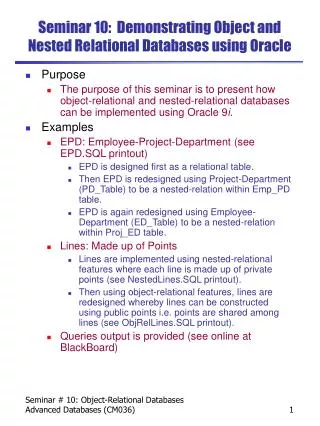
Seminar 10: Demonstrating Object and Nested Relational Databases using Oracle • Purpose • The purpose of this seminar is to present how object-relational and nested-relational databases can be implemented using Oracle 9i. • Examples • EPD: Employee-Project-Department (see EPD.SQL printout) • EPD is designed first as a relational table. • Then EPD is redesigned using Project-Department (PD_Table) to be a nested-relation within Emp_PD table. • EPD is again redesigned using Employee-Department (ED_Table) to be a nested-relation within Proj_ED table. • Lines: Made up of Points • Lines are implemented using nested-relational features where each line is made up of private points (see NestedLines.SQL printout). • Then using object-relational features, lines are redesigned whereby lines can be constructed using public points i.e. points are shared among lines (see ObjRelLines.SQL printout). • Queries output is provided (see online at BlackBoard) Seminar # 10: Object-Relational Databases Advanced Databases (CM036)
Tasks • EPD • Download the file EPD.SQL from BlackBoard into your home directory (e.g. U:\CM036) • Open it using a text editor and read it. • Login to Oracle. • On the SQL plus prompt type by: @U:\CM036\EPD.SQL • Watch out the relational and nested-relational queries and try to understand how they relate to each other. • Nested Relational Lines • Download the file NestedLines.SQL. • Open it using a text editor and read it. • Run it on the SQL prompt by: @U:\CM036\NestedLines.SQL • Try to understand the query and its result. • See how a method is invoked in the SQL query. • Object Relational Lines • Download the file ObjRelLines.SQL. • Open it using a text editor and read it. • Run it on the SQL prompt by: @U:\CM036\ObjRelLines.SQL • Try to understand the query and it result. • Compare and Contrast the Nested Relational and Object Relational implementation of Lines. Seminar # 10: Object-Relational Databases Advanced Databases (CM036)