Understanding Computers: Their Importance and Functionality in Everyday Business Communication
Computers are integral to modern business communication, influencing all job sectors. They assist in diverse tasks such as writing documents, making presentations, managing spreadsheets, and handling emails. Familiarity with computers enhances daily interactions at work and home. Most appliances and vehicles also contain computers, impacting daily life. This overview includes an examination of computer types, hardware, software, storage options, and the vital role of operating systems. Understanding these concepts is essential in navigating today's technology-driven environment.

Understanding Computers: Their Importance and Functionality in Everyday Business Communication
E N D
Presentation Transcript
How a Computer Works Business Communication/Presentation
Why study computers? • All jobs intersect with a computer in some way • Writing documents • Making presentations • Developing spreadsheets for mathematical calculations • Answering emails • Sharing documents among your co-workers • Conducting customer service-taking customers’ money, answering customer complaints • Keeping track of inventory • Using machinery/equipment- operating manufacturing machines, programming equipment so it will do what you want it to do.
Why study computers? Con’t • You are always around computers while you are not working. • Most homes have at least 1 computer, many have 2 or more. • Most kitchen appliances have computers inside of them • Your t.v. is also operated by computer • Your car has many computers that help it to run. • Keeping track of your gas, oil levels. • Programming your CD player and your GPS system. • Your cell phone and MP3 player/IPOD’s all have circuit boards in them
Types of Computers • Desktops • Laptops • Handheld • What is a PC? • Personal Computer- used by individuals at home, school or the office. • A much larger and more powerful computer system used by a major corporation is not known as a PC. In many cases, these are called mainframe computers.
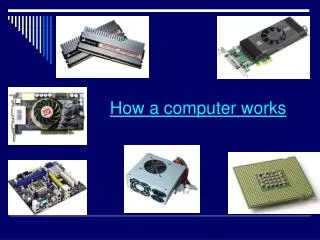
What is the hardware of a computer? • Parts of a computer you can see and touch • Examples: Monitor, keyboard, CPU unit- “the brain” central processing unit, mouse, speakers, printer, scanner, microphones, webcams, headphones, modem.
Types of Software Operating Software Application Software
Operating Systems • In order for a computer to operate and work it must have an operating system installed. • Examples: Windows 8, Windows XP. • MacIntosh and Microsoft have completely different operating systems. That is why you cannot run Microsoft programs on a MAC computer. The interface among different operating systems will not work. • A computer will not run without an operating system.
Application Software • Software that actually does a specific job • Powerpoint – helps with presentations • Word- helps write documents • Gaming – helps in programming games into a gaming system • Graphic – helps in developing ads and marketing pieces for a business
Storage Devices • External Storage- Saves information in an apparatus that is outside of the computer; Different storage devices have varying amounts of storage space. • USB Flash Drive- very portable and convenient; can be easily damaged • External Harddrive- stores large amounts of data • CD- can only store text and some graphics • DVD- stores movies-larger graphic files
Storage Devices Internal Storage- File server for a network of computers; internal hard drive of a computer It is very hard to erase anything off of a hard drive. Usually a hard drive has to be physically damaged before data can be eliminated.
Circuit Boards • All the instructions for a computer are located within circuit boards throughout the computer. Go to Google Images and Google Circuit Boards to see one. • Graphic Cards, Video Cards etc • RAM- Random Access Memory- memory that holds all of the temporary storage- for example memory that does not affect the operation of the computer • Ex: document files • ROM- Read Only Memory- memory that is needed for the vital functions of the computer. The computer will not function if this memory becomes dysfunctional.
Question of the Day-Name a type of application software and a type of operational software?