Understanding Wireless LANs: Link Encryption and Security Protocols
210 likes | 320 Vues
This lecture recap covers the key concepts of Wireless LANs, focusing on link encryption protocols like WEP and WPA, as discussed by R. Smith from the University of St. Thomas, Minnesota. It explains the evolution of wireless communication from Ethernet, the challenges of maintaining reliability in wireless networks, and the basics of routing and encryption. Key highlights include the importance of confidentiality, the properties of effective link-level encryption, and the vulnerabilities associated with WEP. The talk outlines how to safely manage wireless LANs while ensuring minimal disruption to operations.


Understanding Wireless LANs: Link Encryption and Security Protocols
E N D
Presentation Transcript
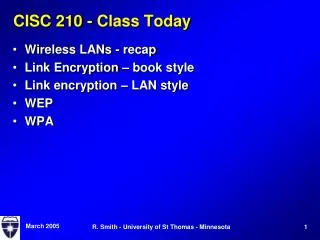
CISC 210 - Class Today • Wireless LANs - recap • Link Encryption – book style • Link encryption – LAN style • WEP • WPA R. Smith - University of St Thomas - Minnesota
802 Protocol in general • Traditionally evolved from Ethernet • Unreliable (unACKed, unchecksummed) • Broadcast between nearby stations • As fast and cheap as possible • Ethernet: CSMA/CD • Detect ‘free’ channel; detect collisions • Exponential backoff • Wireless (802.11): CSMA/CA • All stations can’t always hear each other; CD isn’t practical • Wireless is noisier than Ethernet; more dropped packets • Impractical to completely ignore reliability R. Smith - University of St Thomas - Minnesota
802.11 Protocol • Virtual Carrier Sense • Send “RTS” to ask for permission to send • Gives source, destination, and duration of “real” transmission • If no other traffic, recipient sends back CTS • Then sender sends the actual data • Recipient sends an ACK • Collisions most likely during RTS • They’re very short messages, reduce collision risk • Other stations see the RTS/CTS, wait to transmit till done • Packets are smaller on 802.11 than Ethernet • Big packets are more likely to be corrupted by noise R. Smith - University of St Thomas - Minnesota
Hooking Up • Base Stations • May serve as ‘Access Point’ (AP) - Provide a link to a ‘backbone’ – i.e. Internet access • “Service Sets” • “Basic Service Set” (BSS) – Environment where everyone is within range of a single base station • “Extended Service Set” (ESS) – where two or more base stations are connected via a common backbone to provide more coverage (I do this at home) • Service Set ID (“SSID”) • That magic text string that pops up from a base station and identifies the service set you’re in (default ‘linksys’ on many) R. Smith - University of St Thomas - Minnesota
Link Encryption Objectives • Confidentiality on isolated set of computers • Computers only talk to one another • They do not talk to other computers • No communication with outsiders • Avoid both intentional and accidental data disclosure • Hide traffic as much as possible • Don’t disclose traffic patterns; don’t disclose data • Safety and familiarity paramount • Shouldn’t interfere with computer or network operation • Should always work with minimum of fuss • Extra cost is acceptable R. Smith - University of St Thomas - Minnesota
Link Level encryption: properties/features • Red/Black separation • Everything that goes out is encrypted • Everything inside is cleartext • Good algorithm; good keys • A problem with older wireless (we’ll see later) • Good keys = over 100 bits • Good algorithm = AES, maybe triple DES (slower) • Protect against replay & rewrite attacks • Duplicates must be detectable: packet serial numbers, etc. • Cryptographic checksum that outsiders can’t forge • Good stream cipher or block mode • Random data to confound “known plaintext” attacks R. Smith - University of St Thomas - Minnesota
Routing and LAN Encryption • Point to Point Encryption • Kind of a dead horse today • Everyone uses multipoint LANs, like Ethernet • Is everything encrypted that goes out? • What about MAC addresses? • If we need an address it must be in plaintext • A wireless router • All data on the wireless is encrypted • Including IP addresses • We strip off the wireless encryption when it leaves the wireless LAN R. Smith - University of St Thomas - Minnesota
Wireless Crypto • WEP, WPA – what do they encrypt? • What objectives do we achieve? • Link Encryption Objectives • Confidentiality on isolated set of computers • No communication with outsiders • Hide traffic as much as possible • Safety and familiarity paramount R. Smith - University of St Thomas - Minnesota
WEP versions • “Wired Equivalent Privacy” • Describes the hope, not the achievement • Shared key encryption protocol • 64-bit keys (original WEP) • 128-bit keys (WEP 2) • Uses RC-4 stream cipher (hard to use safely) • Poorly constructed encryption • 64-bit keys broken in 40-bit time • 128-bit keys broken in 64-bit time R. Smith - University of St Thomas - Minnesota
WEP Crypto • WEP Encryption (diagram) • Pick an IV (Initialization Vector, Nonce), 24 bits • Concatenate to ‘root key’ -> k | IV • This is the packet key (up to 128 bits) • Calculate CRC32 over the data (the “ICV”) • Encrypt data and ICV using the packet key • Transmit IV and encrypted data R. Smith - University of St Thomas - Minnesota
WEP Weaknesses • ICV only protects against random errors • Possible to modify a packet's contents and CRC without knowing the crypto key (think of the bit flip example) • “Related Key” attacks • Attacker knows part but not all of the key • Algorithm is vulnerable if • Knowing info about crypto with one key… • Yields info about encryption with a “similar” key • RC-4 is vulnerable. • Lots of ‘crib’ available (ARP) • “Chop chop” attack • Intercept and retransmit a packet • Change the last byte of data through trial and error R. Smith - University of St Thomas - Minnesota
WPA • WPA – a stopgap to replace WEP ASAP • 128-bit keys using RC-4 • Used existing hardware • Better integrity protection – MIC using ‘Michael’ • Still uses ICV function as well • Larger effective keys • TKIP • Similar to WEP, but ‘mixes’ the IV and key R. Smith - University of St Thomas - Minnesota
WPA2 – • Implements 802.11i enhancements • Use AES instead of RC-4 • Permanent keys to authenticate; temporary for data • Can use RADIUS authentication server • Counter Mode with CBC MAC • Integrates encryption, integrity checking, and key variation • Key update protocol • Each packet has a unique key • Derived from packet serial #, shared secret, MAC addr R. Smith - University of St Thomas - Minnesota
Projects • Find a project and get started! • The ‘final date due’ for your proposal is LATE
Obsolete but interesting technology Security implications? Political implications? All packets include LEAF Encrypted with a special shared secret key. Contains Device ID Session key used to encrypt this message Checksum on the LEAF There’s a special decryption system Has a database of DeviceID/Decryption key Escrowed Encryption R. Smith - University of St Thomas - Minnesota
Protocols and Layers • We use layering for several things • Organize the software • Format the packets • What it really does: Establish a relationship between software components on different computers • Layers communicate with each other at same layer • IP – IP or TCP – TCP or HTTP – HTTP • They ‘use’ the lower layers to carry their messages R. Smith - University of St Thomas - Minnesota
Protocol Layering Examples • Network class – bear with me • Pizza delivery example • How do we order pizza at a party? R. Smith - University of St Thomas - Minnesota
Network Protocol Layering Usually a ‘funnel’ shape • Top level = Applications • Lots of choices: e-mail, web, file exchange, • Uses ‘socket interface’ to talk to networks • Mid levels = “The Protocol Stack” • Transport layer: UDP/TCP • Internet layer: IP • Link layer: LAN protocols • Bottom level = device driver connections • Hardware-specific software, configuration • Uses device driver interface to link to the protocol stack • Uses a cable or antenna to link to the network R. Smith - University of St Thomas - Minnesota
Packets follow the layers • Upper layer data = innermoust • Lower layer data = outermost • Innermost data usually travels the network unchanged • Outermost data gets swapped with each hop through a router R. Smith - University of St Thomas - Minnesota
Diagramming the Crypto • Elements • Protocol stack elements • Where the crypto goes • What is encrypted • What is plaintext R. Smith - University of St Thomas - Minnesota
That’s it • Questions? Creative Commons License This work is licensed under the Creative Commons Attribution-Share Alike 3.0 United States License. To view a copy of this license, visit http://creativecommons.org/licenses/by-sa/3.0/us/ or send a letter to Creative Commons, 171 Second Street, Suite 300, San Francisco, California, 94105, USA. R. Smith - University of St Thomas - Minnesota