iRobot Create Command Interface
This overview provides an in-depth analysis of the iRobot Create Command Interface, detailing the communication modes, actuator commands, sensor readings, and scripting capabilities. It discusses various operational modes like OFF, PASSIVE, SAFE, and FULL, along with commands for driving, LED control, and sending infrared signals. The documentation outlines how to read sensors and manage scripts, emphasizing the use of WAIT modes and distance tracking. This is essential for developers working with iRobot platforms to create effective robotic applications.

iRobot Create Command Interface
E N D
Presentation Transcript
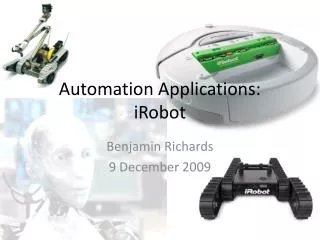
iRobot Create Command Interface CPSC 601.68/CPSC 599.68 Rob Kremer Department of Computer Science University of Calgary
Anatomy CPSC 609.68/599.68: Agent Communications
Anatomy Bump Sensors CPSC 609.68/599.68: Agent Communications
Anatomy CPSC 609.68/599.68: Agent Communications
Agent software support: sensor tab CPSC 609.68/599.68: Agent Communications
Agent software support: sensor tab CPSC 609.68/599.68: Agent Communications
Agent software support: execute command execute takes a string of bytes (in decimal). Can also prefix a number with "s" to make it parse it as two bytes (a short). CPSC 609.68/599.68: Agent Communications
Modes • OFF • Unresponsive (except START (128)) • Can charge • PASSIVE • Sensor status commands • No Actuator commands • Can charge • SAFE recommended! • Sensor status commands • Actuator commands • But reverts to PASSIVE if moving forward and any cliff sensor is activated; any wheel drop sensor is activated; or the charger is plugged in • No Charging • FULL • Sensor status commands • Actuator commands • No Charging CPSC 609.68/599.68: Agent Communications
Modes START (128) OFF PASSIVE SAFE (131) FULL (132) START (128) START (128) SAFE (131) SAFE FULL FULL (132) CPSC 609.68/599.68: Agent Communications
Modes: WAIT • A 5th Mode: WAIT • When in WAIT mode the robot does not respond to ANY input. • Goes into WAIT mode for 3 commands (see WAIT slide): • WAIT-DISTANCE • WAIT-ANGLE • WAIT-TIME • WAIT-EVENT • If the robot is prevented, for some reason, from traveling the distance or the angle, it won’t respond to anything (try the undocumented command 7). • Use only in scripts, NOT RECOMMENDED CPSC 609.68/599.68: Agent Communications
Actuators: Drive • DRIVE (137 <velocityhigh> <velocitylow> <radiushigh> <radiuslow>) • 2 short (16 bit) parameters • Each represented by 2 bytes, high byte first (so a total of 5 bytes for this command) • Parameter 1: velocity in mm/sec • -500 to +500 (-ve means “backwards”) • Parameter 2: curve radius in mm • -2000 to +2000 where -ve means clockwise and +ve means counterclockwise • 32768 means “go straight” • -1 and +1 mean spin in place clockwise, counterclockwise respectively CPSC 609.68/599.68: Agent Communications
Actuators: LEDs • LEDs (139 <Adv&Play> <powerColor> <powerInten>) • Adv&Play: • Bit 1 (=2): Play LED • Bit 3 (=8): Advance LED • PowerColor (0-255): • 0=green; 255=red • PowerIntensity (0-255) • 0=off; 255=full intensity CPSC 609.68/599.68: Agent Communications
Actuators: Send IR • SEND-IR (151 <IRbyte>) • Sends a byte using an add-on circuit and a IR LED • Can be received by the omnidirectional IR reciever at the front of the robot • Could be use to transmit short-distance identifiers for each robot • Does not replace CASA agent communication protocols! CPSC 609.68/599.68: Agent Communications
Actuators: Songs • Load a song • 140 <song#> <length> {<note> <duration>}* • <song#>: 0-15 • <length>: number of notes (1/2 of bytes) (up to 16 notes) • <note>: see table in OI Manual • <duration>: in 1/64 second (31=G@49.0Hz … 127=G@12543.9Hz) • Play a song • 141 <song#> • Doesn’t work if a song is already playing CPSC 609.68/599.68: Agent Communications
Inputs: Sensors • Read Sensors • 142 <packetID> • Packets 0-6 are “packet groups” (eg: 0 is sensors 7-26, which is 26 bytes [some are two-byte returns]) • Packets 7-42 are individual sensors • Either numerical values (1 or 2 bytes) or bitmaps • See OI Manual • Also a commands for: • reading a list of sensors (149) • requesting a continuous stream of packet data (148) • pausing/resuming a stream (150) CPSC 609.68/599.68: Agent Communications
Sensor Groups Packets CPSC 609.68/599.68: Agent Communications
Sensor Single Packets CPSC 609.68/599.68: Agent Communications
Scripts • Load a script • 152 <length> <opcode>* • <length>: number of bytes in script (up to 100) • <opcode>: OI commands • Play a script • 143 • No flow control except for WAIT commands (next slide) • Show script • 154 • Returns the current script CPSC 609.68/599.68: Agent Communications
Scripts: Wait • Wait time • 155 <time> • <time> in 1/10 sec (resolution of 15ms) • Wait Distance • 156 <disthigh> <distlow> • <dist> distance in mm. +ve=forward, -ve=back • Works for passively rotating the wheels • Wait Angle • 157 <anglehigh> <anglelow> • <angle> angle in deg. +ve=counterclockwise, -ve=clockwise • Wait Event • 158 <event#> • <event#>: eg: 1=wheel drop (see table in OI Manual, p.16) • Use -ve for inverse of event (eg: -1 wheel drop stops) CPSC 609.68/599.68: Agent Communications
Tasks: measuring • You can track the distance traveled by using sensor 19 (distance) • Angle with sensor 20 (angle) • Note: reading these sensors causes them to be reset • Distance (angles) increment for forward (counterclockwise) and decrement for backward (clockwise) • Class iRobotCreate’s regular sensor reading keeps an accumulator for distance and angle CPSC 609.68/599.68: Agent Communications
Tasks: Following a wall • You can track along a wall using the wall sensor (sensor 8) • Use Drive straight (137 <velocity> 32687) when the wall is there; or a wide right curve (137 <velocity> -2000) when the wall goes away • You should expect the occasional right-bump • If you get a left-bumb, you’ve probably hit a corner CPSC 609.68/599.68: Agent Communications