Task Management Resolve Work
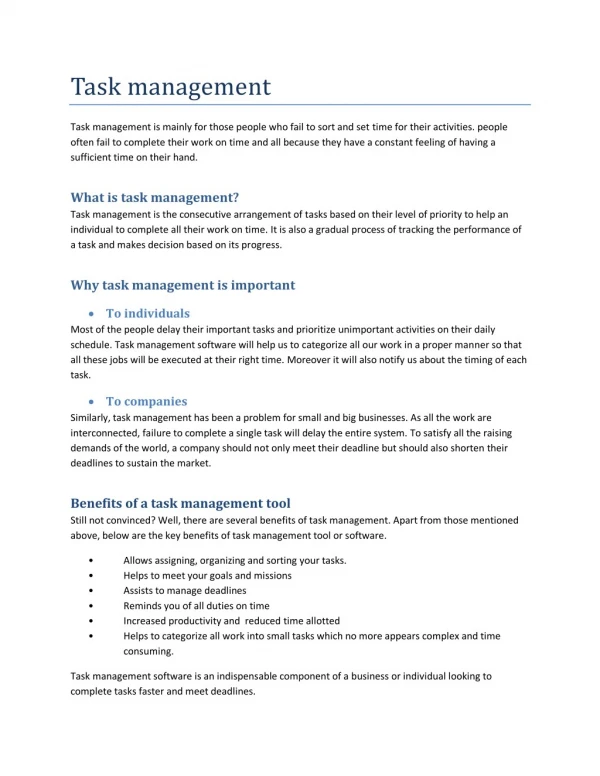
Organize your workflow with smart task management features. Assign tasks, set priorities, track timesheets, and monitor progress seamlessly, helping your team stay focused and always meet deadlines with confidence.<br><br>Visit Our Website : https://resolve.work/features/tasks/<br><br>Key Features:<br>Task creation, assignment & prioritization<br>Built-in task timesheet & time tracking<br>Real-time progress monitoring & status updates<br>Deadline management with automated reminders<br>Subtasks & checklists for complex workflows<br>Team collaboration with comments & file attachments

Task Management Resolve Work
E N D
Presentation Transcript
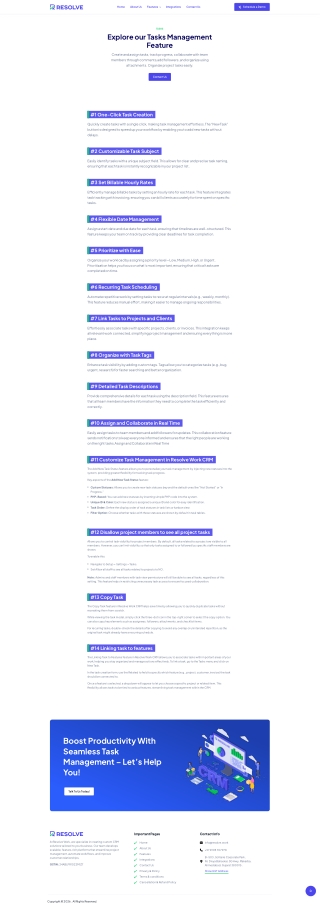
Home About Us Features Integrations Contact Us Schedule a Demo TASKS Explore our Tasks Management Feature Create and assign tasks, track progress, collaborate with team members through comments,add followers, and organize using attachments. Organize project tasks easily. Contact Us #1 One-Click Task Creation Quickly create tasks with a single click, making task management e?ortless. The “New Task” button is designed to speed up your workflow by enabling you to add new tasks without delays. #2 Customizable Task Subject Easily identify tasks with a unique subject field. This allows for clear and precise task naming, ensuring that each task is instantly recognizable in your project list. #3 Set Billable Hourly Rates E?ciently manage billable tasks by setting an hourly rate for each task. This feature integrates task tracking with invoicing, ensuring you can bill clients accurately for time spent on specific tasks. #4 Flexible Date Management Assign a start date and due date for each task, ensuring that timelines are well-structured. This feature keeps your team on track by providing clear deadlines for task completion. #5 Prioritize with Ease Organize your workload by assigning a priority level—Low, Medium, High, or Urgent. Prioritization helps you focus on what’s most important, ensuring that critical tasks are completed on time. #6 Recurring Task Scheduling Automate repetitive work by setting tasks to recur at regular intervals (e.g., weekly, monthly). This feature reduces manual e?ort, making it easier to manage ongoing responsibilities. #7 Link Tasks to Projects and Clients E?ortlessly associate tasks with specific projects, clients, or invoices. This integration keeps all relevant work connected, simplifying project management and ensuring everything is in one place. #8 Organize with Task Tags Enhance task visibility by adding custom tags. Tags allow you to categorize tasks (e.g., bug, urgent, research) for faster searching and better organization. #9 Detailed Task Descriptions Provide comprehensive details for each task using the description field. This feature ensures that all team members have the information they need to complete the task e?ciently and correctly. #10 Assign and Collaborate in Real Time Easily assign tasks to team members and add followers for updates. This collaboration feature sends notifications to keep everyone informed and ensures that the right people are working on the right tasks.Assign and Collaborate in Real Time #11 Customize Task Management in Resolve Work CRM The Add New Task Status feature allows you to personalize your task management by injecting new statuses into the system, providing greater flexibility for tracking task progress. Key aspects of the Add New Task Status feature: Custom Statuses: Allows you to create new task statuses beyond the default ones like “Not Started” or “In Progress.” PHP-Based: You can add new statuses by inserting simple PHP code into the system. Unique ID & Color: Each new status is assigned a unique ID and color for easy identification. Task Order: Define the display order of task statuses in task lists or kanban view. Filter Option: Choose whether tasks with these statuses are shown by default in task tables. #12 Disallow project members to see all project tasks Allows you to control task visibility for project members. By default, all tasks related to a project are visible to all members. However, you can limit visibility so that only tasks assigned to or followed by specific sta? members are shown. To enable this: Navigate to Setup > Settings > Tasks. Set Allow all sta? to see all tasks related to projects to NO. Note: Admins and sta? members with task view permissions will still be able to see all tasks, regardless of this setting. This feature helps in restricting unnecessary task access to ensure focused collaboration. #13 Copy Task The Copy Task feature in Resolve Work CRM helps save time by allowing you to quickly duplicate tasks without recreating them from scratch. While viewing the task modal, simply click the three-dot icon in the top-right corner to select the copy option. You can also copy key elements such as assignees, followers, attachments, and checklist items. For recurring tasks, double-check the details after copying to avoid any overlap or unintended repetition, as the original task might already have a recurring schedule. #14 Linking task to features The Linking Task to Features feature in Resolve Work CRM allows you to associate tasks with important areas of your work, helping you stay organized and manage actions e?ectively. To link a task, go to the Tasks menu and click on New Task. In the task creation form, use the Related to field to specify which feature (e.g., project, customer, invoice) the task should be connected to. Once a feature is selected, a dropdown will appear to let you choose a specific project or related item. This flexibility allows tasks to be tied to various features, streamlining task management within the CRM. Boost Productivity With Seamless Task Management – Let’s Help You! Talk To Us Today! Important Pages Contact Info At Resolve Work, we specialize in creating custom CRM solutions tailored to your business. Our team develops scalable, feature-rich platforms that streamline project management, automate workflows, and improve customer relationships. Home info@resolve.work About Us +91 9998 707978 Features B- 503, Solitaire Corporate Park, Nr. Divya Bahaskar, SG Hwy, Makarba, Ahmedabad, Gujarat 380015 . Integrations GSTIN: 24ABLFR1022M1Z7 Contact Us Privacy & Policy Show GST Address Terms & conditions Cancellation & Refund Policy Copyright © 2026 . All Rights Reserved.