Comprehensive Guide to Writing a Professional Cover Letter
This document provides detailed instructions for crafting a professional cover letter that adheres to established formatting standards. Key components include a personal letterhead, dated address, proper salutation, and a structured body divided into three concise paragraphs. It emphasizes the importance of proofreading and peer review to eliminate errors, ensuring clarity and professionalism. Strict formatting guidelines, such as block layout and font specifications, are outlined. Follow these steps meticulously to enhance your job application and make a strong impression on potential employers.

Comprehensive Guide to Writing a Professional Cover Letter
E N D
Presentation Transcript
Cover Letter Activity Instructions Fargason - 2011
Letter Parts • Your cover letter should include the following parts: • Your personal letterhead (saved on P: drive) • Today’s date • Inside Address • Salutation • Body (remember to follow the 3 paragraph format – how I learned about the job, why I would benefit the company, and follow up plan) • Complimentary close • Signature *in ink! • Typed name • Enclosure notation
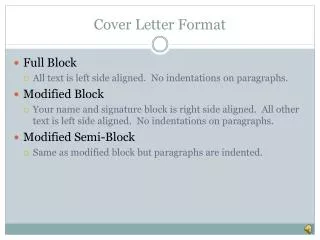
Letter Format • BLOCK BUSINESS LETTER!!! Every line starts on the left margin!!! • Margins: Normal (1top, bottom, left and right) • Line Spacing: 1.0 • Paragraph Spacing: Before = 0, After = 0 • Font – Times New Roman, 12 point
Cover Letter Assignment • Open your letterhead document • Save AS cover letter to your P: drive • Use the information gathered from the Job Search Activity and the “My Cover Letter Template” to write a cover letter following the “How To Write a Cover Letter” model. • PROOFREAD THEN HAVE A CLASSMATE PROOFREAD YOUR LETTER. Make corrections as needed. • Print your letter to Norwood 4250. Save your document. • Turn in your letter – STAPLE your job search activity and your cover letter template to the cover letter and turn it into the class folder.
Cover Letter Checklist • Job Search Activity • Attached & Completed (20 points) • My Cover Letter Template • Attached & Completed (20 points) • Cover Letter: • Letter Head – Professional Format (10 points) • Includes all letter parts (15 points) • Body – paragraphs follow model discussed in class (15 points) • Spelling & Grammar – no errors (10 points) • Block business letter formatting (10 points)