SQL Queries
This document provides an overview of SQL Data Manipulation Language (DML), focusing on how to modify a database through insertion, deletion, and updating of records. It covers the syntax and examples of the INSERT, DELETE, and UPDATE commands, demonstrating how to populate databases with actual data and alter existing records based on conditions. Additionally, it explores the use of queries to extract needed information and how conditions can affect result sets. It serves as a guide for beginners looking to understand the basics of handling data in SQL.

SQL Queries
E N D
Presentation Transcript
SQL Queries CPSC 315 – Programming Studio Spring 2009 Team Project 1, Lecture 4 Slides adapted from those used by Jeffrey Ullman, via Jennifer Welch
Modifying the Database • Data Manipulation Language • Given a schema, must “populate” the database with actual data • Insert, Delete, Modify
Insertion • INSERT command: INSERT INTO <Relation> VALUES (<value list>); • Can specify only certain attributes in Relation Relation(<attribute list>) • Instead of values, can have subquery
Insertion Example • Senator(Name,Party,State,Years) INSERT INTO Senator VALUES (Jill Smith, Republican, NY, 5); INSERT INTO Senator(Name, State) VALUES (Jill Smith, NY);
Deletion • Delete from relation according to condition DELETE FROM <Relation> WHERE <condition>; • Example: delete Texas Senators: DELETE FROM Senator WHERE State = ‘TX’;
Modification • Update subset according to condition UPDATE <Relation> SET <list of attribute assignments> WHERE <condition>; • Example: Joe Lieberman becomes Independent UPDATE Senator SET Party = ‘Independent’ WHERE Name = ‘Joseph Lieberman’;
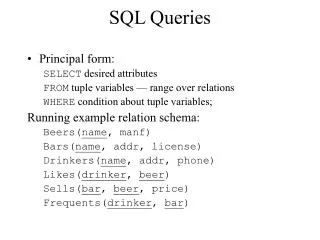
Queries • The heart of SQL • Queries can form portion of other commands • e.g. INSERT results of a query into a table • Form: • SELECT attributes • FROM relation(s) • WHERE condition
Example Senator: Query: SELECT Name FROM Senator WHERE Party = ‘Republican’; Result:
Statement Processing • Begin with the relation(s) in the FROM clause • Can be the result of another query! • Apply selection condition in WHERE clause • Can potentially be very complex, and include subqueries • Get the attributes given in the SELECT clause • Process: iterate through all tuples in FROM, checking vs. WHERE, and for those that match, apply the SELECT
SELECT Clause - * • Can use a * for SELECT to indicate all attributes given in the relation listed in FROM. • Senator: • Query: SELECT * FROM Senator WHERE Party = ‘Republican’; • Result:
SELECT Clause - AS • Can use AS to rename attributes in result • Senator: • Query: SELECT Name AS Person, Party AS Affiliation, State FROM Senator WHERE Party = ‘Republican’; • Result:
SELECT Clause - Expression • Can include expressions in SELECT Clause • Senator: • Query: SELECT Name, Years * 365 AS DaysInOffice FROM Senator WHERE Party = ‘Republican’; • Result:
SELECT Clause - Constants • Can include constant attributes • Senator: • Query: SELECT Name, ‘Senator’ AS OfficeHeld FROM Senator WHERE Party = ‘Republican’; • Result:
Aggregations • SUM, AVG, COUNT, MIN, MAX • COUNT(*) counts number of tuples • Applied to column in SELECT clause • Use DISTINCT to eliminate duplicates • NULLs are ignored • If Aggregation is used, every selected column must be aggregated or in the GROUP BY list
Grouping Aggregations • Adding GROUP BY <attribute> at the end will apply aggregation only to group • e.g. to get the total number of U.S. Representatives from each state: SELECT State, COUNT(*) FROM USRepresentatives GROUP BY State
WHERE Clause – Complex Expressions • Can include NOT, AND, OR operators • Senator: • Query: SELECT * FROM Senator WHERE Party = ‘Republican’ OR Years > 3; • Result:
WHERE Clause – other effects • Order of operations, including parentheses • LIKE: String comparisons with wildcards • % means any string • _ means any character
WHERE Clause – NULL values • Tuples may contain NULL values • Undefined/Unknown • Inapplicable • All conditions evaluate to either TRUE, FALSE, or UNKNOWN • Comparisons to NULL are UNKNOWN • Tuples selected only if TRUE
3-valued Logic • Can think of values as • TRUE = 1 • FALSE = 0 • UNKNOWN = ½ • Operations would be • OR = MAX • AND = MIN • NOT = 1-x • Example: (T AND ((NOT U OR F) AND NOT (U OR T)))
3-valued Logic • Can think of values as • TRUE = 1 • FALSE = 0 • UNKNOWN = ½ • Operations would be • OR = MAX • AND = MIN • NOT = 1-x • Example: (T AND ((NOT U OR F) AND NOT (U OR T))) MAX(1- ½,0) = MAX(½,0) = ½ = U
3-valued Logic • Can think of values as • TRUE = 1 • FALSE = 0 • UNKNOWN = ½ • Operations would be • OR = MAX • AND = MIN • NOT = 1-x • Example: (T AND (U AND NOT (U OR T)))
3-valued Logic • Can think of values as • TRUE = 1 • FALSE = 0 • UNKNOWN = ½ • Operations would be • OR = MAX • AND = MIN • NOT = 1-x • Example: (T AND (U AND NOT (U OR T))) MAX(½, 1) = 1 = T
3-valued Logic • Can think of values as • TRUE = 1 • FALSE = 0 • UNKNOWN = ½ • Operations would be • OR = MAX • AND = MIN • NOT = 1-x • Example: (T AND (U AND NOT T)
3-valued Logic • Can think of values as • TRUE = 1 • FALSE = 0 • UNKNOWN = ½ • Operations would be • OR = MAX • AND = MIN • NOT = 1-x • Example: (T AND (U AND NOT T) ) MIN(½, 1-1) = MIN(½,0) = 0 = F
3-valued Logic • Can think of values as • TRUE = 1 • FALSE = 0 • UNKNOWN = ½ • Operations would be • OR = MAX • AND = MIN • NOT = 1-x • Example: (T AND F)
3-valued Logic • Can think of values as • TRUE = 1 • FALSE = 0 • UNKNOWN = ½ • Operations would be • OR = MAX • AND = MIN • NOT = 1-x • Example: (T AND F) MIN(0,1) = 0 = F
3-valued Logic • Can think of values as • TRUE = 1 • FALSE = 0 • UNKNOWN = ½ • Operations would be • OR = MAX • AND = MIN • NOT = 1-x • Example: F (T AND ((NOT U OR F) AND NOT (U OR T)))
Unexpected Results for NULLs • WHERE (Years > 2) OR (Years < 3) • This should “cover” all cases • If Years is NULL • Years > 2 is UNKNOWN • Years < 3 is UNKNOWN • So the OR is UNKNOWN • And thus the tuple is NOT selected!
WHERE Clause – IN operator • <tuple> IN <relation> • TRUE iff the tuple is a member of the relation SELECT * FROM ElectedOfficial WHERE Name IN USRep
WHERE Clause – EXISTS operator • EXISTS (<relation>) • TRUE iff the relation is not empty relation SELECT * FROM ElectedOfficial WHERE EXISTS(USRep)
EXISTS (and other) operators • Usually applied to the results of a subquery • Example: is any Senator a Whig? EXISTS( SELECT * FROM Senator WHERE Party = ‘Whig’ )
WHERE Clause – ANY and ALL operators • x = ANY(<relation>) • TRUE iff x is equal to at least one tuple in the relation • x = ALL(<relation>) • TRUE iff x is equal to all tuples in the relation • The = can also be >, >=, <, <=, <> • The relation should have only one attribute
Example: ANY SELECT * FROM ElectedOfficial WHERE Party = ANY (CurrentParties)
Example: ALL SELECT * FROM Senator WHERE Years > ALL (YearsPresidentsInSenate)
UNION, INTERSECT, DIFFERENCE • Can combine subqueries with Boolean operations • e.g. (subquery) UNION (subquery) • Default: duplicates are removed by these operations unless ALL is included • (subquery) INTERSECT ALL (subquery) • Likewise, can remove duplicates in normal SELECT by including DISTINCT • SELECT DISTINCT Years …
“Bag” vs. “Set” semantics • Items are in a “bag” • Duplicates OK • Items are in a “set” • Duplicates removed
Joins • Combining relations into one new relation • Used to merge tables • Many ways, variations • <relation> CROSS JOIN <relation> • Takes every possible combination
Inner Joins • Inner Joins are based on the Cross Join • Join is usually limited by some comparison using ON e.g. Senator INNER JOIN Representative ON Senator.State = Representative.State Creates table with one (Senator, Representative) tuple for every pair from the same state. (Note: both State attributes still appear)
Natural Joins • Automatically looks for matching columns • Only one column for each match, and only select tuples that match in those columns • Example: • SELECT * FROM Students NATURAL JOIN SchoolLocations
OUTER JOIN • Includes tuples from both relations, even if no match in the other • Those attributes are set to NULL • LEFT, RIGHT, FULL • Keep all records from left table, or from right table, or from both