Download
1 / 10
100 likes | 223 Vues
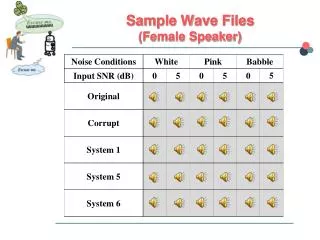
This project focuses on the manipulation of multiple wave files to create a mixed sound using Matlab and Cool Edit 96. By treating sound files as vectors, various effects such as reverse playback, echo, and volume variation were applied, sourced primarily from the PlayStation game "CastleVania: Symphony of the Night." The study compares the efficiency and effectiveness of sound manipulation techniques in Matlab against Cool Edit 96, highlighting performance differences and sound quality outcomes. Results indicate Matlab's aptitude for vector manipulation, albeit with speed issues due to the size of high-quality vectors.

E N D
Signal Manipulation With Wave Files Brett Gottschalk Andrew Williams
Project Goals • Manipulate multiple wave files into a mix • Utilize Matlab and Cool Edit 96 to mix and alter sounds • Compare the Matlab procedure with the Cool Edit procedure
Description • By manipulating the sound files as vectors, various special effects are simulated and mixed into the final sound file. • The sound files used were from the Playstation game “CastleVania: Symphony of the Night” by Konami See the Project Report and Proposal FOR MORE INFO...
Sound Sources • “Moonlight Nocturne” - Intermission music track • Various voices from Alucard, Maria, Dracula, Sword Familiar, Demon Familiar, and the Konami Sound Test
Standard Techniques Used • Reverse Playback • Halve and Double Vector • Overlap • Add Echo • Volume Variation
New Techniques Used • Fade in and Fade out • Comparison to commercial sound editor Cool Edit 96
Sounds Techniques Applied To • Reverse Playback: Konami Sound Test • Half and Double: Dracula’s death, Sword Familiar • Overlap: All. A voiceover of the samples was done • Echo: Demon Familiar • Volume Variation: Demon Familiar • Fade in and Fade out: Moonlight Nocturne
Procedures • Split base sound file of “Moonlight Nocturne” into 7 files to allow Matlab to read them properly. • Wrote a separate function for each operation, applying them separately. FOR MORE INFO... See the M-Files in report
Result • The sound files sounded roughly the same, though slight skips are noticeable in the Matlab-altered version from the file split and recombination. • The Cool Edit Manipulations were performed much faster, but it was more difficult to specify the exact requirements needed.
Summary Slide • Matlab is well-suited for manipulating vectors, but the size of the vectors required for high-quality sounds gives a large performance hit, resulting in unsatisfactory speed in performing the manipulations.