Launch mySQL server
This guide walks you through the process of launching a MySQL server, configuring settings in the my.cnf file, and creating necessary database files. You'll learn how to connect to MySQL using the command line interface, creating databases and loading data from CSV files. The guide also covers drawing ER and UML diagrams, developing a Python program for data ingestion, and performing cross-identification of data sets. Lastly, it includes methods to analyze completeness limits based on magnitude and color ranges.

Launch mySQL server
E N D
Presentation Transcript
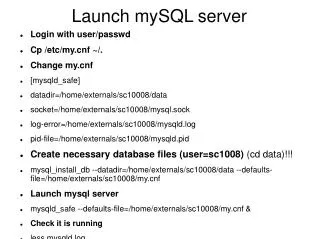
Launch mySQL server • Login with user/passwd • Cp /etc/my.cnf ~/. • Change my.cnf • [mysqld_safe] • datadir=/home/externals/sc10008/data • socket=/home/externals/sc10008/mysql.sock • log-error=/home/externals/sc10008/mysqld.log • pid-file=/home/externals/sc10008/mysqld.pid • Create necessary database files (user=sc1008) (cd data)!!! • mysql_install_db --datadir=/home/externals/sc10008/data --defaults-file=/home/externals/sc10008/my.cnf • Launch mysql server • mysqld_safe --defaults-file=/home/externals/sc10008/my.cnf & • Check it is running • less mysqld.log
Create database prob Connect to MySQL with CLI mysql --socket=/home/externals/sc10008/mysql.sock -u root Create database prob create database prob\g show databases \g use prob \g
Load test data from Vizier • vizier.u-strasbg.fr • 2MASS, USNO-A2 • 1 deg region • Note the format of the data (.csv) • Draw ER diagrams for both catalogs • Draw UML diagrams from ER diagrams
Ingest data • Write a python program to ingest data • Use MySQLdb, csv packages
Ingest with SQL statement • LOAD DATA <filename> INTO <tablename> DELIMITER <delimiter> • LOAD DATA '2mass.csv' INTO TWOMASS DELIMITER “|”
Cross-identification • Draw ER diagram for the database (3 tables at least!) • Draw UML diagram • Create new table structure (PK,FK)
Cross-identify data sets • Use python for row-by-row cross-identification • Ingest data back into database • COS(Ra1)COS(Ra2)COS(Dec1)COS(Dec2)+SIN(Ra1)SIN(Ra2)COS(Dec1)COS(Dec2)+SIN(Dec1)SIN(Dec2) > COS(angle)
Home • Ingest 2 cones of 2 deg radius (one in galactic plane, 1 in NP or SP) • Cross-identify • Plot CMD • Find completeness limit for each magnitude • Find completeness limit for each color range