Mastering Google Analytics: Leveraging Data for SEO Insights
0 likes | 6 Vues
This PDF will explore how to leverage Google Analytics for SEO, focusing on SEO metrics, performance tracking, and actionable tips to maximize your SEO efforts. By partnering with EnFuse Solutions, you can refine your strategy, increase your website's visibility, and attract more targeted traffic. Visit this link to explore more: https://www.enfuse-solutions.com/services/search-engine-optimization/


Mastering Google Analytics: Leveraging Data for SEO Insights
E N D
Presentation Transcript
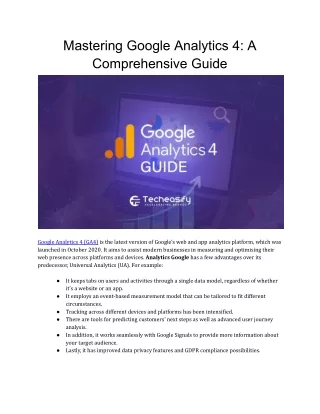
Mastering Google Analytics: Leveraging Data for SEO Insights Mastering Google Analytics is crucial for optimizing SEO strategies in today's digital landscape. With its robust suite of tools, Google Analytics can transform raw data into actionable insights, guiding you to enhance your website’s performance and visibility. Mastering Google Analytics: Leveraging Data for SEO Insights This PDF will explore how to leverage Google Analytics for SEO, focusing on SEO metrics, performance tracking, and actionable tips to maximize your SEO efforts.
Unleashing the Potential of Google Analytics for SEO Google Analytics for SEO offers a comprehensive view of how your website performs in search engines. By understanding and utilizing SEO data analysis, you can refine your strategies, improve rankings, and ultimately drive more organic traffic. Here’s how to get started: Key SEO Metrics in Google Analytics 1. Organic Traffic:This is the volume of visitors coming from search engines. Tracking this metric helps you gauge the effectiveness of your SEO efforts. Click Acquisition > All Traffic > Channels and select “Organic Search” to access this data. 2. Bounce Rate:This metric shows the percentage of visitors who exit your site after viewing just a single page. A high bounce rate might indicate that your content is not engaging or relevant. Aim to reduce bounce rates by improving your content and user experience. 3. Average Session Duration: This gauges the duration of time visitors spend on your site. A longer duration generally indicates that your content is valuable and engaging. Improve this metric by offering high-quality content and intuitive navigation. 4. Pages per Session: This reflects the number of pages users visit within a single session. Higher pages per session often correlate with more engaging and relevant content. Enhance this by linking related content and optimizing internal linking strategies.
Analyzing SEO with Google Analytics To effectively analyze SEO with Google Analytics, focus on these essential reports and features: 1. Landing Pages Report: Access this through Behavior > Site Content > Landing Pages. This report provides insights into which pages are drawing organic traffic and evaluates their performance in terms of engagement and conversions. 2. Search Console Integration: Link your Google Search Console account with Google Analytics to gain insights into your website’s search performance, including queries, impressions, and click-through rates. Go to Acquisition > Search Console to explore this data. 3. Custom Segments:Create custom segments to analyze specific subsets of traffic, such as visitors from certain geographic locations or those who land on particular pages. This can provide deeper insights into how different audience segments interact with your content. 4. Conversion Tracking: Set up goals and e-commerce tracking to measure how well your SEO efforts are driving conversions. This can be done under Conversions > Goals or Conversions > E-commerce. Google Analytics SEO Tips 1. Regularly Review Reports:Consistent analysis of Google Analytics reports for SEO helps identify trends and make data-driven decisions. Schedule regular reviews to stay on top of your SEO performance. 2. Set Up Alerts: Use Google Analytics to set up custom alerts for significant changes in traffic patterns, which can help you quickly address any issues or capitalize on opportunities.
3. Benchmark Against Competitors: Utilize SEO tools to compare your performance with that of your competitors. While Google Analytics won’t provide direct competitor data, comparing your metrics with industry standards can offer valuable context. 4. Leverage Advanced Features: Utilize advanced features like custom dashboards and attribution models to gain a more nuanced understanding of your SEO performance. Conclusion Harnessing the full potential of Google Analytics for search optimization requires a deep understanding of SEO metrics in Google Analytics and a strategic approach to SEO performance tracking. By applying these insights, adhering to best practices, and partnering with EnFuse Solutions, you can refine your SEO strategy, boost your website's visibility, and attract more targeted traffic. Mastering Google Analytics is not just about collecting data; it’s about transforming that data into actionable insights that drive real results. Start applying these Google Analytics SEO tips today to stay ahead of the competition and achieve your SEO goals. Read more:Featured In SERP: The Future Of SEO And Content Placement