Download
1 / 15
150 likes | 265 Vues
Join the Castleford Camera Club's Introduction to Your DSLR workshop, where you'll learn to navigate various camera modes over three weeks. In Week 1, you'll explore Shutter Priority and Aperture Priority modes, mastering when to use each for optimal exposure. The following week focuses on Manual mode, empowering you to take complete control of your photography. We will cover Green mode, Scene modes, and delve into the importance of the mode dial. By the end of the workshop, you'll confidently capture stunning images in any scenario.

E N D
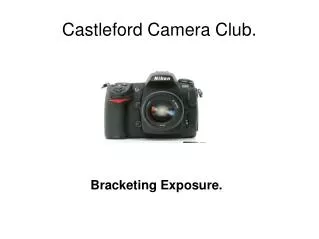
CASTLEFORDCAMERA CLUB Introduction to your DSLR
This workshop will take you through the various modes on your camera: Week 1 – Shutter Priority & Aperture PriorityWeek 2 – Manual This should provide you with a better understanding of when to use the specific modes
The mode dial enables automatic values to be set in relation to exposure, aperture and shutter speed depending on which mode is chosen. UNDERSTANDING THE MODE DIAL Developing an understanding of the various modes and when to use them will enable you to expose as correctly as possible.
GREEN MODE OR P In Green mode or Program mode the camera controls the shutter speed and aperture determining an average exposure for the image in the view finder. In this mode the only aspect the user can control is the focal length (zooming in/out) using the lens.
SCENE MODES Some DSLRs also have preset scene modes which assist in optimizing for the specific conditions :
SHUTTER PRIORITY MODE: Tv or T or S on many DSLRs In shutter priority mode, you have control over the shutter speed and the aperture is set by the camera. What shutter priority does best is capture a sense of motion.
Using a fast shutter speed you may capture things that the human eye would otherwise not see and freeze the moment.
Using a slower shutter speed will capture motion blur to create the sense of movement and enable creative shots.
APERTURE PRIORITYA or Av You will have control over the aperture size while the camera sets the speed of the shutter. What aperture priority mode does best is increase depth of field.
With a low aperture setting or F-stop, the focus will remain on fewer objects and the depth of field will remain narrow.
A higher aperture setting or F-stop will allow more objects to come into focus simultaneously and the depth of field will increase
Both these settings can be useful when you don’t have the time to set the camera up to exactly what you require manually. For example, when panning, your subject may be moving through dark and light backgrounds, you can determine whether you want a sharp image in which case a fast shutter speed, or a blurry image – a slower shutter speed, and then let the camera set the aperture.
However both these settings have their disadvantages: • Because the camera decides one of the settings, it removes the ability to be creative and over or under expose slightly to produce more impact.
MANUAL - M Manual mode will allow you to control both the shutter speed and the aperture value and produce the correct exposure for the intended image.
SUMMARY • P - program mode • S, T or Tv - shutter priority • A or Av - aperture priority • M - manual • Other settings include Sv, Tav, portrait, macro and more, depending on the model of your camera – check your manual