
SPU Render
E N D
Presentation Transcript
SPU Render Arseny “Zeux” Kapoulkine CREAT Studios arseny.kapoulkine@gmail.com http://zeuxcg.org/
Introduction ●Smash Cars 2 project – Static scene of moderate size – Many dynamic objects – Multiple render passes – Totals up to 3000 batches per frame ●PPU render up to 12 ms – Target – 60 fps :( 2
Optimization techniques ●PPU code optimizations – Has been done several times – Would like PPU time to become ~0 ●Static command buffers – Somewhat restricted – Culling is unclear ●Move code to SPU 4
Agenda ●Render design ●Brief description of SPU ●Porting ●Development ●Q & A 5
Agenda ●Render design ●Brief description of SPU ●Porting ●Development ●Q & A 6
Render – “high” level ●Rendering is done on sets of RenderItem – The sets are already sorted and culled ●RenderItem aggregates: – SceneNode – Material – Shader – RenderEntity 7
Render – SceneNode ●Transform graph node – Local transform – Global transform (derived from local) ●Local transforms are set by misc code – Animations – Physics – Game logic 8
Render – Shader ●Render pipeline setup algorithm – virtual void apply ●Setups auto-parameters – Are computed automagically by the system – WorldViewProjection, ShadowMap, etc. – virtual void setup ●Setups material – Material parameters (including textures) – Shaders ●99% objects are of final type HWShader 9
Render – Material ●Container of instance data for Shader – Data layout description ●Parameter name/type ●Offset in data array – Data array – Accessors for name/index (get/set) – Render states ●Blend, alpha test, depth, cull 10
Render – RenderEntity ●Drawing algorithm – virtual void render ●Several implementations – RenderStaticGeometry – RenderSkinnedGeometry – RenderMorphedGeometry – DynamicObject 11
Render – low level ●Cross-platform wrappers – State setup (with cache) – Vertex/pixel constant setup – Shader setup ●GCM implementation – PS3-specific API for CB generation ●Is mostly present on SPU – This makes porting easier 12
Agenda ●Render design ●Brief description of SPU ●Porting ●Development ●Q & A 13
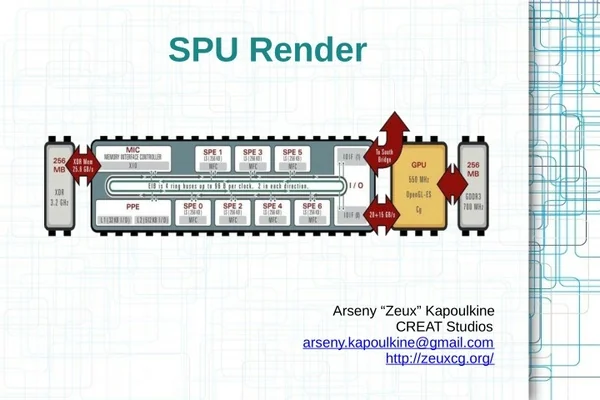
SPU – what is it? ●6 like cores – 3.2 GHz, in-order, dual-issue – 128 vector registers – Local Storage (LS) ●256 Kb – code + data ●6 cycle latency ●External memory is accessed via DMA – Asynchronous memcpy (LS ↔ memory) – Alignment/size restrictions 14
SPU – porting tasks ●Build code for SPU ●Run code on SPU – Task/job manager – Code/data size – Virtual functions ●Optimization – Effective usage of DMA – Code optimization 15
Agenda ●Render design ●Brief description of SPU ●Porting ●Development ●Q & A 16
Porting steps ●Step 1 – working prototype ●Step 2 – data optimization ●Step 3 – code optimization 17
Porting steps ●Step 1 – working prototype ●Step 2 – data optimization ●Step 3 – code optimization 18
Porting steps ●Step 1 – working prototype – Speed does not matter ●Non-optimal code, synchronous DMA – Complete functionality ●Step 2 – data optimization ●Step 3 – code optimization 19
Step 1 – PPU interface ●async::Renderer – Simple interface ●push(RenderItem) (+ batch versions) ●flush() ●kick() – The limits are set when creating renderer ●Maximum number of items ●Maximum CB size – Double-buffering for CB 20
Step 1 – PPU interface Renderer 1 CB PPU Renderer 2 item item item item CB push push push flush push flush SPU 1 render job SPU 2 render job kick2 GPU CB render 2 render misc render 1 GPU render 2 render misc render misc kick1 render 1 Write Read 21
Step 1 – DMA helpers ●Convenience functions to simplify DMA – Allocator ●Trivial stack allocator, ptr += size – fetchData(ea, size) ●Memory allocation and synchronous DMA ●Can handle misalignment – fetchObject / fetchObjectArray ●Typed versions of fetchData – Later we made asynchronous variants 22
Step 1 – DMA helpers ●void* fetchData(alloc, ea, size) uint32_t sizeAligned = (size + (ea & 15) + 15) & ~15; void* ls = alloc.allocate(sizeAligned); DmaGet(ls, ea & ~15, sizeAligned); DmaWait(); return (char*)ls + (ea & 15); ●T* fetchObject(alloc, ea) return (T*)fetchData(alloc, ea, sizeof(T)); 23
Step 1 – virtual functions ●PPU vfptr does not make sense on SPU ●The solution varies across interface – Shader ●Single supported shader type – HWShader – RenderEntity ●Enum for all supported types ●Enum value is stored in unused pointer bits – ptr = actual_ptr | type // actual_ptr % 4 == 0 24
Step 1 – encapsulation ●Makes porting harder – Methods with incorrect SPU code ●CRT_ASSERT(next->prev == this) – Additional method parameters ●render() → render(Context) ●Makes SPU code refactoring harder ●Solution (some people don't like this...) – #define private public [SPU-only!] 25
Step 1 – shader patch ●RSX lacks PS constant registers – Constants are embedded into microcode – Microcode has to be patched ●RSX blitting – Huge RSX cost (up to 50% frame time) ●PPU render – Ring buffer for microcode instances – Complex synchronization ●SPU render – Instances are stored in the same buffer where CB resides 26
Step 1 – synchronization ●PPU/SPU – Data races ●Transformation matrices ●Material parameters – Objects can be deleted – Solution ●SPU code has to be fast ●PPU waits for SPU before changing data 27
Step 1 – synchronization ●SPU/RSX – PPU ●flush() inserts WAIT at the beginning of CB – Waits indefinitely ●kick() inserts CALL in main CB – SPU ●Fills CB with rendering commands/shaders ●Appends RET to the end ●Replaces WAIT with NOP* 28
Step 1 – results ●Porting time – 3 days ●Render time – 25 ms – PPU render time is 12.5 ms – How to make it faster? ●Brute-force – split queue into 5 chunks – 5 ms for 5 SPU ●Write better code ●Completely separate code branch – Common data structures 29
Porting steps ●Step 1 – working prototype ●Step 2 – data optimization ●Step 3 – code optimization 30
Porting steps ●Step 1 – working prototype ●Step 2 – data optimization – Change data layout ●Lower indirection count – Asynchronous DMA ●Double-buffering for input/output data ●Step 3 – code optimization 31
Step 2 – memory layout SceneNode RenderStaticGeometry VertexDeclaration RenderItem Material Parameters Textures Param ctab HWShader TextureDesc Auto ctab HWShaderImpl TextureData VS command buffer PS program GCMTexture 32
Step 2 – data layout ●Goal – lower indirection count – Actually, make graph paths shorter ●Where do they come from? – Shared data – “Variable” length arrays ●Size is known at load time – “Good” architecture ●Law of Demeter – Pimpl 33
Step 2 – materials ●Textures – struct TextureInfo ●Stored in data array ●Is updated in setValue ●The contents is sufficient for texture setup – 4b – sampler state, 12b – texture header ●Render States – Stored in data array ●16b for all states 34
Step 2 – materials ●Before: Material + Render States Parameters Textures TextureDesc TextureData GCMTexture ●After: Material Parameters + Textures + Render States 35
Step 2 – HWShaderImpl ●Lots of “variable” length arrays – Constant tables – Shader data ●Solution – Sequential layout of everything in memory – Header contains offsets – DMA get and pointer fixup ●vsCB = (char*)impl + impl->vsCBOffset 36
Step 2 – HWShaderImpl ●Before: Param ctab HWShader VS command buffer Auto ctab HWShaderImpl PS program ●After: HWShaderImpl Param ctab Auto ctab VS CB PS program 37
Step 2 – VertexDeclaration ●class RenderStaticGeometry – VertexDeclaration* vdecl ●Can store vdecl by value – Space penalty ●There are not a lot of unique instances – There is a declaration cache anyway – Can implement a software cache! ●4 element cache, DMA stall on cache miss ●30 cache misses for 3500 batches 38
Step 2 – FlatRenderItem ●Graph path to HWShaderImpl is long – item->material->shader->impl ●FlatRenderItem – Caches pointers/sizes ●Material data EA/size ●Shader impl EA/size ●Scene node/render entity EA – Created at level load time 39
Step 2 – FlatRenderItem ●Before: RenderStaticGeometry RenderItem SceneNode Material data Material HWShader HWShaderImpl ●After: SceneNode FlatRenderItem HWShaderImpl Material data RenderStaticGeometry 40
Step 2 – DMA optimizations ●Up to now all DMA are synchronous ●Can hide DMA latency! – Launch several requests ●Wait for all at once – Double buffering ●While current batch is being processed – Source data for next batch is being read – Result for previous batch is being written ●Requires additional LS memory 41 – Not a problem in our case
Step 2 – output DMA ●Command buffer – Two 8 Kb buffers – Swap on buffer overflow ●Shader buffer – Can do double buffering – It's easier to wait for transfer though ●But before processing instead of after! ●DmaPut has enough latency to complete 42
Step 2 – input DMA ●For each batch – Wait for previous transfers – Prefetch next batch ●4 DmaGet at once – Current batch processing ●Requires loop prologue – Prefetch for first batch 43
Step 2 – input DMA ●Complex code (lack of experience atm) – FlatRenderItem are fetched one by one ●It's easier to fetch in groups ●Bugs – The code prefetches one item past the end ●PPU duplicates last item to avoid errors – Don't forget to wait for last DmaGet ! ●Otherwise stack corruption is possible 44
Step 2 – results ●Optimization time – 3 days ●Render time – 8 ms – Without double buffering – 12 ms ●PPU time did not change (don't ask) SceneNode FlatRenderItem HWShaderImpl Material data RenderStaticGeometry VertexDeclaration 45
Porting steps ●Step 1 – working prototype ●Step 2 – data optimization ●Step 3 – code optimization 46
Porting steps ●Step 1 – working prototype ●Step 2 – data optimization ●Step 3 – code optimization – Profiling ●SN Tuner ●SPUsim – Optimization 47
Step 3 – SN Tuner ●CPU/GPU profiler for PS3 – SPU performance counters ●DMA stalls ●Instruction scheduling – Overview of code quality – SPU PC sampling ●No overhead as opposed to PPU sampling ●Used for function cost overview – Had to selectively remove inlining 48
Step 3 – SPUsim ●SPU simulator for PC – Awesome for prototyping ●Lightning fast iterations ●Stalls statistics ●Instruction trace – Shows stalls, lack of pairing – For small self-contained functions ●You can setup DMA, but it's not very easy 49
Step 3 – branching ●Branching carries a lot of overhead ●Reduce branch counts – Branch flattening – Loop unrolling – Switch → function pointer table ●Zero-size DMA ●Branch hinting 50