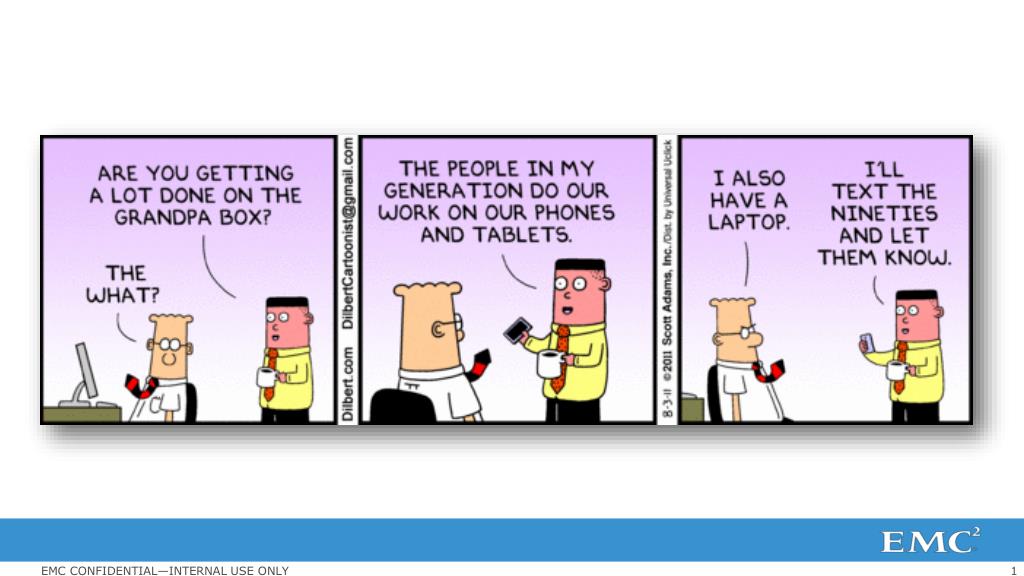
End User Computing In The Post PC Era. Tom Twyman Sr. vSpecialist EMC Thomas.twyman@emc.com. Agenda. Where Are We? Keys To Success – People / Process Keys To Success – Technology Wrap Up & Next Steps. Ubiquitous Access. Recognizing users are working differently. Diverse Access
Une image / un lien ci-dessous est fourni (tel quel) pour télécharger la présentation
Politique de téléchargement : le contenu du site vous est fourni TEL QUEL pour votre information et votre usage personnel ; il ne peut être vendu, concédé sous licence ni partagé sur d’autres sites sans l’accord de son auteur.Le contenu vous est fourni TEL QUEL, pour votre information et votre usage personnel uniquement.Téléchargez la présentation en cliquant sur ce lien.Lors du téléchargement, si vous ne parvenez pas à télécharger une présentation, l’éditeur a peut-être supprimé le fichier de son serveur.Pendant le téléchargement, si vous ne parvenez pas à obtenir une présentation, le fichier a peut-être été supprimé par l’éditeur.
Recognizing users are working differently Diverse Access U.S. Employees Survey 37% use do-it-yourself tech 97% carry > 2 devices Diverse Devices 2010 Shipments Tablets + Smartphones > PC 2015 shipments 1.1B cell phones, 300M tablets Diverse Apps 2015 Mobile App Market: $38B Sources: Morgan Stanley 2011, Gartner 2011, Forrester 2010, Pew 2011
Consumer Technology is driving IT App Stores Users provision and install their own apps…within app store guidelines & protection Application Updates Applications are updated through the App Store…by the End User, and not IT
Access to data Unsecure Unsanctioned File Access and Sharing • Users are frustrated with their file-sharing experience and are less productive • Leveraging multiple unsanctioned services to meet needs Confidential Files Internal Users Unsanctioned Access File Servers
Where it’s going… Connect Simplify Manage Desktop Service App Catalog Service UniversalServices Broker Secure Universal Access Users, Application, DataPolicies Data Service Entprs Entprs SaaS Win Win Mobile
Agenda • Where Are We? • Keys To Success – People / Process • Your Organizaton • Your Users • Keys To Success – Technology • Wrap Up & Next Steps
Why? • Understand that the WHY is just as important as the HOW • The use cases for transformation are the key to success…base your decisions on what’s good for YOUR organization • This is the hard stuff...
Go in with the right expectations… Kills projects before they start There is NO CAPEX SAVINGS! You can’t build it like “regular” VMs Kills projects after they start Focus on end-user experience Keeps everyone focused on the prize The experience WILL CHANGE! But your users are asking for it! Bottom-up approach won’t work… You will need executive sponsorship
Avoid the Traps…. All in good time… $$$$ It’s all academic - until… Don’t just kick the tires… This is not your father’s vm… Thin Clients Other Toys The Great Protocol Debate The Proof of Concept Choice of Disk
What’s driving VDI Adoption? • Executive Order • Windows 7 migrations • Security and compliance challenges • Consumerization of IT • Consolidation of desktop management • Flexible Workforce • Reduction in support personnel • Work-from-Home and Telecommuting Initiatives • Disaster Recovery and Business Continuity
Why are WE Moving to VDI? • Desktop management complexity • Backup for 47,000+ desktop devices • Ensure security patching compliance • Thousands of user-installed applications create performance and compatibility issues • How can we simplify desktop management? • How can we standardize desktop images? 1 2 • Old desktops and OS • Average PC is 3-4 years old & under-powered • Windows XP is in extended support • Annual cost of refresh > $20M • How quickly can we move to Windows 7? • How do we extend the hardware lifecycle? • Poor user experience • No choice of platform • Limited ability to provide “anywhere, anytime” universal access 3 • Do we let users bring in their own devices? • How do we make our mobile workforce more productive?
The 5 W’s ? • Who? What? When Where? Why? • Understand your use cases • Who is getting which application? • From Where? • When? • On which Devices? ? ? ? ?
Agenda • Where Are We? • Keys To Success – People / Process • Keys To Success – Technology • Deconstructing the Desktop • Infrastructure • Operations • Wrap Up & Next Steps
Deconstruct the Desktop • Let your app(s) dictate image strategy • The best image is one that’s empty • Virtualize everything possible • Use the Network for user data and application settings User Data Applications Operating System
User Data • “Conscious” and “subconscious” • User Data • Re-directed folders, home shares • Enterprise Data Portals (DKO/AKO) • Persona management • R0@m1ng Pr0f1le$! (bad word) • VDI integrated and third party solutions
Compute best practices • Go back to Assessment • Determine Usage Matrix, characteristics • Desktop to Core ratios • Cluster HA considerations • Memory is king
The Storage Dilemma • Most people think of storage in terms of capacity • You need to think of storage in terms of performance • Size doesn’t matter… as much • Do it right the first time • Virtual desktop performance should be as good or better than a physical PC
Consider Delivery Type • Thick, persistent desktops • Consume same space as physical • Easier to size, mostly based on capacity • Thin, non-persistent desktops • Based on common image • Massive space savings = consolidated IO • Harder to size, based on performance • Use the right drives in the right place • Mega cache for reads… and WRITES
IO Profiles • Reads AND Writes? • What is the average desktop Read/Write IO profile? • 20% Reads, 80% Writes • Cache considerations should include writes
Read IOPS • Technologies help with read IOPS • Array based cache • RAM based, SSD Based • Host based cache • PCIe, Hypervisor caching • Storage tiering • Master image on SSD
Write IOPS • Handling write IOPS is trickier • In general you need to build out the number of spindles to support write IOPS • Don’t forget the RAID type caveat • SSD writes are slower than reads but still fast • Sizing for write IOPS is probably the most critical area
What governs $/client and user experience? Handling more IOPS with less LATENCY How do we solve that? Intelligent Mix of Dynamic Tiering and Drive Types Solving the storage barriers Balancing COST and PERFORMANCE
Intelligently migrate chunks data between multiple tiers of disk Keep “Hot” data on the best performing storage, “Cold” data on the most cost effective storage Fully Automated Storage Tiering (FAST) Tiered Storage Solid State Flash drives SAS NL-SAS/ SATA
Dynamic Read & Write Caching • FAST Cache enables you to architect for the NORM…not the PEAK • Lower the cost of the infrastructure without decreasing the performance or user experience • Leverages EFD (Enterprise Flash Drives) to act as a “Cache” for READ and WRITE activity • Accommodate VDI Performance AND Capacity Requirements
Operations • Don’t drag your current process forward • Integration begets: • Simplicity • Transparency • Efficiency
“Where Does Integration Happen?” ESX Storage Stack VI Client VM VMFS NFS NFS client VMware LVM Co-op Snap request SvMotion request VM provisioning cmd Turn thin prov on/off VSS via VMware Tools Datamover Co-op vStorage API for Data Protection (VADP) NMP vStorage API for Multi- pathing Network Stack SRM vCenter Vendor-specific vCenter Plug-In iSCSI/FCoE SW Vendor-specific VAAI block module HBA Drivers NIC Drivers View VMware-to-Storage relationships Provision datastores more easily Leverage array features (compress/dedupe, file/filesystem/LUN snapshots) FC FCoE iSCSI Vendor Specific vStorage API for SRM Array APIs/Mgmt NFS VAAI Module VM object Awareness in array NFS VASA Module VAAI SCSI cmds Storage Array Vendor-specific VAAI NFS operation support Standards-based VAAI SCSI command support
Integration Delivers Management Simplicity EMC VSI Makes vCenter “EMC Array Aware” EMC Arrays Natively Are “VM-aware” VAAI OFFLOAD FASTER PROVISIONING 10X ENABLES UP TO MORE VMs FASTER REPLICATION LESS NETWORK LOAD MANAGE END-TO-END LESS HOST LOAD VM TO STORAGE STORAGE TO VM
HBA HBA HBA HBA EMC PowerPath Hypervisor SAN SAN SERVICE CONSOLE PowerPath EMCPowerPath Multipathing PowerPath Migration Enabler Virtualization Monitoring and Management Data Encryption Nondisruptive arraymigrations
The Cloud Management StackAutomation / Orchestration VMware Cisco CA BMC EMC Portal myServices newScale CA Service Catalog vService Manager Service Request Management Service Catalog Tidal Atrium Orchestrator vOrchestrator CA Process Orchestration IT Orchestrator Orchestration Open APIs vCloud Director Virtualization Virt Element Mgr EMC UIM Compute Comp Element Mgr Open APIs Network Net Element Mgr Store Array Element Mgr
The Cloud Management StackService Assurance and Compliance VMware Cisco EMC Portal newScale vService Manager Service Catalog Tidal vOrchestrator IT Orchestrator Orchestration vCenter Chargeback vCenter Capacity IQ vCenter Config Mgr vCenter Operations Suite vFabric Watch4Net IT Operations Intelligence vCenter Operations Open APIs Open APIs vCloud Director Virtualization Virt Element Mgr EMC UIM Compute Comp Element Mgr Auto PerfGrapher Open APIs NCM Network Net Element Mgr Store SCA Array Element Mgr
End User Computing Data Analytics Cloud Application Platform Hadoop Greenplum vFabric Cloud Foundry Spring Project Horizon Zimbra Mozy View ThinApp vCloud Service Manager vCloudConnector Legacy Apps vCloudAPI vShieldEdge vCenterOrchestrator Multi-Tenancy and Chargeback vCenterChargeback Service Catalog vCloud Director SAP Oracle MS Vmax | VNX | Isilon Cisco | Brocade | Juniper Cisco | HP | IBM | Dell Unified Infrastructure Manager VMware vSphere Vblock Multi-Site Cloud Technologies RecoverPoint | SRDF | Vplex Cloud StorageArchive / Rich Media Atmos Backup / Recovery Avamar | Networker | DataDomain | DPA Cloud Infrastructure
EMC Consulting End User Computing Data Analytics Cloud Application Platform Hadoop Greenplum vFabric Cloud Foundry Spring Project Horizon Zimbra Mozy View ThinApp vCloud Service Manager vCloudConnector Legacy Apps vCenterChargeback vCenterOrchestrator vShieldEdge vCloud Director vCloudAPI SAP Oracle MS VMware vSphere Cloud Infrastructure Unified Infrastructure Manager Vblock EMC Education RecoverPoint | SRDF | Vplex Atmos Avamar | Networker | DataDomain | DPA
Data • How do we protect the company? • How do we protect the data? • How do we protect the solution?
Protecting your data with EMC Avamar • VM Guest OS Backup • Image-Level Backup • De-duplicate data within and across VM files • Change-blocktracking minimizes recovery time • File level recovery from image backup • Replication provides DR for backed up VMs VMware Virtualization Layer Virtual Machines DISK USAGE NETWORK USAGE CPU USAGE x86 Architecture Resource Pool = Avamar Software Agent VMware Virtualization Layer Mount x86 Architecture Resource Pool = Avamar Software Agent Physical server SAN storage Avamar server Physical Server
Customer Recovery Challenges 85-90% of restore Operations 10-15% of restore Operations File Recovery Image Recovery Simple Automated Application Integrated Disaster Recovery <1% of restore Operations
ALWAYSON DESKTOP Logical Diagram • Shared Applications • Workload Generators User authenticates and connects to Site A X Site A Fails Users' Session Drops/Fails User re-authenticates User is automatically connected to Site B
Connexion au compte
Connectez-vous pour publier votre contenu sur SlideServe.