Enhancing ePlanning with GeoPDFs: Workflow, Benefits, and Use Cases
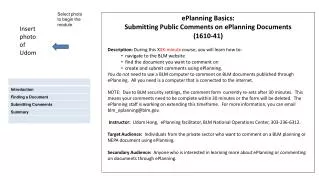
This presentation explores the use of GeoPDFs in ePlanning, a content and workflow management system designed for land use planning and NEPA documentation. It covers GIS analysis, map output, and the creation of Land Use Planning (LUP) content. Learn the benefits of GeoPDFs including ease of use for non-GIS users, interactivity, and integration with existing GIS infrastructure. The demonstration highlights how reviewers can navigate, annotate, and save comments within GeoPDFs, making them a powerful tool for public engagement and spatial data collaboration.

Enhancing ePlanning with GeoPDFs: Workflow, Benefits, and Use Cases
E N D
Presentation Transcript
GeoPDFs Utilized for ePlanning Version 2 May 9, 2007Geospatial Conference
Agenda • GIS workflow • Purpose of GeoPDFs • Benefits of GeoPDFs • Demonstration • Questions
What is ePlanning? • ePlanning is content and workflow management system that assists resource specialists and line managers with land use planning and NEPA documentation. • GIS analysis, map output • LUP content creation (XML) • Publishing Engine • Comment Collection / Analysis
ePlanning LUP Specific GeoDatabase ArcGIS GeoPDF GIS Workflow Public Spatial Comments Public Review Local GIS Data Content Repository Enterprise GIS Data Records Retention
What are GeoPDFs? • Georegistered layered PDF
GeoPDF Publishing and Collaboration GeoMark for Reader Public or Reviewer Redline & Mark Up GeoPDF Review Comments Captured and Import as SDE layer
Purpose of GeoPDFs for ePlanning • Reviewer can navigate GeoPDF (pan, zoom) • Query attributes • Toggle layers on / off • GeoMeasure Tools (distance, area calculations) • Reviewer can markup (red-line) GeoPDF • Points, lines, polygons, comments, stamps • Reviewer saves comments as GeoPDF file • All markups are Georeferenced • Will be imported back to ArcSDE as georeferenced features. • Spatial comment data layers
Benefits of GeoPDF • Users familiar with Adobe Reader and PDF files • Interactive maps are difficult for Public (non-GIS users) • Better reliability and performance in external website • Free GeoPDF Toolbar for Adobe Reader/Acrobat • PDF stable, expect to be supported indefinitely • Records retention requirements much easier • Put burden on the planner to make a good stand-alone map products • Easily extends GIS to disconnected operations • Every user can be a data collector / commenter
Benefits of GeoPDF continued • Leverage BLM’s rich Geospatial data to large groups of GIS and non-GIS end users • Distribute in a standard format throughout the enterprise- business and consumer • Easy to use and implement • Control Security and Policy • Integrate and leverage existing GIS and PDF infrastructure • Enterprise Scalability
ArcGIS GeoPDF ePlanning GIS Workflow Public Spatial Comments Public Review Content Repository Records Retention
ArcGIS GeoPDF Generate GeoPDFs from ArcMap • GIS Specialist executes Map2PDF extension for ArcMap, creates GeoPDF output file • GeoPDFs ‘enabled for commenting’ by Adobe Acrobat Professional • GeoPDFs ‘enabled for Geomarking’ by GeoMark Enable
GeoPDF Send to Documentum Repository Content Repository Front Office Website • GeoPDFs sent to repository (drag and drop) • Arbortext Publishing Engine includes GeoPDF files in document build • Source GIS spatial data snapshots (zipped shapefiles) sent to repository • Metadata (zipped xml files) sent to repository • System sends source data and metadata to Front Office web site
ArcGIS GeoPDF Spatial Issue Areas Public Spatial Comments Public Review • Comments imported to SDE from GeoPDFs attached with comment submission • Provide a spatial issue area layer for all LUPs. Another way to analyze public concern. Content Repository
BLM Issues • Low number of recommended object data records in a GeoPDF (5,000) • Actual Object count depends on complexity of data • No concept of “active layer” – for selection or identify functions • TerraGo likes this idea – open to providing a solution • Multi-feature select not available • Based on Adobe’s Object Data Tools • Extraneous feature data outside of neatline • Issue for Map2PDF development team • Raster Data resolution vs file size – is image compression a possibility? • No dynamic zoom scale displayed on map – just % • Feature request for upcoming release
Demo • GeoPDF
Where to Get Information • www.terragotech.com • www.blm.gov/eplanning • On-line help and tutorials • web.blm.gov/eplanning • Back Office training • Web Trends, how to information, Information about version 2.0, etc.
Questions? Matt Brown, NG ePlanning PMNorthrop Grumman IT(720) 963-6943matt.brown@ngc.com