Download
1 / 19
190 likes | 316 Vues
This training session will provide faculty with a hands-on introduction to Moodle's capabilities. Learn the essential Moodle terminology such as "Course" and "Category," understand how to create and manage courses, add resources, and structure assignments. Instructors will discover methods to enroll students, form groups for collaborative projects, and utilize the grading system effectively. This session is designed to enable faculty to evaluate Moodle’s advantages compared to traditional platforms. Join us to enhance your teaching management skills using this versatile platform.

E N D
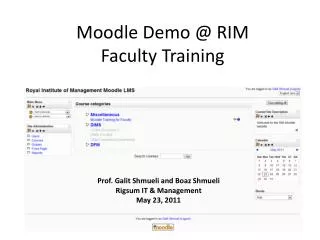
Moodle Demo @ RIMFaculty Training Prof. Galit Shmueli and Boaz Shmueli Rigsum IT & Management May 23, 2011
Moodle Terminology “Course” is a single module, taught by a single instructor (or co-instructors) Examples: Politics, Object-oriented programming “Category” is a group of courses Examples: DFM, DIMS
Demo Moodle Installed @ RIM Purpose: for faculty to try out Moodle • Hosted locally on RIM server • Try it out and compare to using Google Apps alone • If RIM decides to use Moodle, it might be hosted elsewhere moodle.rim.edu.bt/moodle
Add course topics • Go into the course you created; turn editing ON • Add Resource> Insert a Label
Add/Delete Students • Option 1: Admin signs up students • Option 2: Teacher signs up students In both cases, teacher can override
Create Groups (for group projects, presentations) Go into the course you created; turn editing on
Creating groups automatically Create groups of 5 students each (random vs. assigned)
Creating An Assignment • Turn Editing ON • “Add an Activity” under chosen topic • Offline Activity
Offline Assignment Group Assignment?
Grading • Once an assignment (or other Activity) is created, it is automatically added to the Gradebook
Creating categories of assignments • Useful for categorizing grades (classwork, homework, project, etc,)