
Uploaded by
stefan
3 SLIDES
162 VUES
30LIKES
Configuring TX/RX Test Pattern Generation for Improved Eye Pattern Analysis
DESCRIPTION
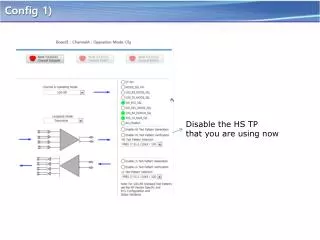
In this guide, we will cover how to disable the current HS TP in your configuration and enable TX/RX Test Pattern Generation for enhanced testing of signal quality. Navigate to the PCS Control Configuration tab in the GUI and activate either the TX/RX Test Pattern Generation or PRBS31 Test Pattern Generation option. Implementing these settings will help analyze eye patterns more effectively, leading to improved performance metrics compared to previous configurations.
Download
1 / 3
Télécharger la présentation 
Configuring TX/RX Test Pattern Generation for Improved Eye Pattern Analysis
An Image/Link below is provided (as is) to download presentation
Download Policy: Content on the Website is provided to you AS IS for your information and personal use and may not be sold / licensed / shared on other websites without getting consent from its author.
Content is provided to you AS IS for your information and personal use only.
Download presentation by click this link.
While downloading, if for some reason you are not able to download a presentation, the publisher may have deleted the file from their server.
During download, if you can't get a presentation, the file might be deleted by the publisher.
E N D
Presentation Transcript
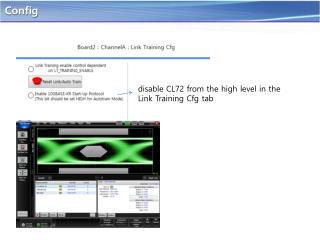
Config 1) Disable the HS TP that you are using now
Config2) • go to the PCS Control Cfg tab within the • GUI and active either the TX/RX Test • Pattern Generation or the PRBS31 • Test Pattern Generation on TX/RX path.
Eye pattern Comments : A little better than before








More Related