Innovative Strategies for Home Economics Education in the Digital Age
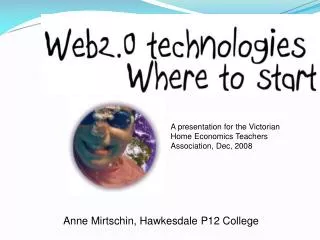
This presentation by Anne Mirtschin at the Victorian Home Economics Teachers Association in December 2008 explores innovative digital tools and strategies for teaching home economics. It highlights the importance of creativity, communication, and cybersafety in education. Key technologies discussed include blogging, social bookmarking (Delicious), digital storytelling (VoiceThread), online photo management (Flickr), and videoconferencing (Skype). The session emphasizes the collaborative nature of modern education and provides tips for keeping students safe online while fostering engaging learning environments.

Innovative Strategies for Home Economics Education in the Digital Age
E N D
Presentation Transcript
A presentation for the Victorian Home Economics Teachers Association, Dec, 2008 Anne Mirtschin, Hawkesdale P12 College
Conceptual Age • Communicate • Connect • Creativity
Cybersafety • Usernames eg rose, meatballs • Avatars • No last names/addresses/phone numbers/other identifying details • Joint administration rights • Other staff(including principal) regularly comment • RSS feeds to student blogs Tips for Keeping them cybersafe
Delicious http://delicious.com • Social bookmarking site • Develops networks • Great comments on use of delicious
Skype (www.skype.com) • VOiP • Live chat • Audio • conferencing • Videoconferencing • Bookmark and save chats Why I love skype - Why I love skype by Jeremy Wright
(www.voicethread.com) User friendly Digital storytelling
Voice Video Text Images Uses for Voicethread • Storytelling • Reflections • Reporting on extracurricula activities • Global projects
Slideshare - www.slideshare.net • Uploads powerpoint presentations • Groups and networks • Resources
Slideshare for home economics • http://www.slideshare.net/umhealthscienceslibraries/food-20-part-1-presentation with lots of great sites and recommendations, games, recipe sites etc videos
.....Blogging..... http:://murch.globalteacher.org.au http://murcha.wordpress.com
Most popular blogging platforms • http://globalstudent.org.au and http://globalteacher.org.au a campus set up especially for Victorian teachers with edublogs • http://edublogs.org • Blogger • Blogmeister
Sections to a blog • Posts • Pages • Categories • Tags • Widgets – clustr maps, delicious links • Blogroll • comments
Interactivity - polls • Natalie • POLL DADDY See site
why should students blog • A tool for reading and writing • Authentic audience • Highly motivational • Powerful learning • Students want to share etc 20 reasons
What do I use a blog for? • Online journal • Digital portfolios • Lesson plans • bulletin board • Reflections
Global student/teacher • Register for a globalteacher blog • Adding in students = easy now • Give some thought to username or url (cannot be changed) • blog title can be changed
hints • Start blogging – it will find a direction over time • Blog until you feel comfortable before starting with students • Blog regularly • Establish a social network (links, comments, trackbacks, teacher lists, nings etc) • Do not worry about initial appearance – just start.
Flickr • Online photo storage and management • Search for and use creative commons license photos • Networks (global) • Crop, share, edit • Slideshows • Videos (pro account) • networking
Wikis Uses of..... • Group projects • Assignments • Resource collections • Peer review • Parent involvement www.ejourneys.wikispaces.com
Some food blogs • Is My blog burning • Food and cookery blogs http://homecooking.about.com/od/foodblogs/Food_and_Cooking_Blogs.htm • Cooking with Amy http://cookingwithamy.blogspot.com/ • Simply Recipes http://www.elise.com/recipes/
discoverE virtual classroom Hear Lorraine Leo teach my grade 4 and 5s about the Vendee Globe
Podcasting and podcasts • Audacity+ lame codec to convert to mp3 files • Podomatic for storage online
Google apps • igoogle
Forms • Collaboratively setup • Students filled in after being given the shared url • Dumped into sheet automatically
google docs – processor, sheet, presentation Calendar Reader Alert Notes Igoogle Google maps and earth
Online videos • Teacher Tube • Teachers TV • Youtube • Google video
Contact Me mirtschin.anne.a@edumail.vic.gov.au mirtschin@gmail.com Twitter id = murcha Skype = anne.mirtschin