Evolving Interaction Design: From GUI to Ubiquitous Computing
This chapter explores the transformation of interface design from pre-1990s user-centered applications to the innovative paradigms of today. While early interfaces focused on single-user desktop setups using the WIMP model, the advent of new technologies has led to gesture-based, emotion-based, and pervasive computing interfaces. The chapter highlights the challenges in designing user experiences that blend seamlessly into environments without obvious controlling devices, emphasizing the need for contextually relevant information and secure interactions across interconnected systems.

Evolving Interaction Design: From GUI to Ubiquitous Computing
E N D
Presentation Transcript
Chapter 6 INTERFACES ANDINTERACTIONS Patrick Hutto Dongjin Kim John Difante Lee Hailey
Introduction • Pre-1990s – efficient and effective interfaces was main goal • GUI advances, Internet, cell phones, new technology etc. • Now there is a bigger opportunity to design for user experience • Gesture-based, tactile based, emotion based interaction • Novel ideas – ie. Tangible interfaces, mixed realities, wearable interfaces
Introduction • While exciting, all these options can make picking a design daunting • We will consider designing interfaces for different environments, people places and things • Cannot cover all the different types of interfaces • Look at key research and design concerns for a few select interfaces
Paradigms • Definition – “Particular approach that has been adopted by the community of researchers and designers for carrying out their work, in terms of shared assumptions, concepts and values. • Questions to be asked and how they should be framed • The phenomena to be observed • The way findings from experiments are to be analyzed and interpreted
1980s • Focus was to design user-centered applications for the desktop computer • Single “user” working with a screen “interface” • Beginning of WIMP (windows, icons, menus, pointers)
1990s • WIMP seemed limiting • Non-WIMP interfaces were being experimented with • These factors plus the innovations in technology created a revolution in the industry
1990s • Interaction design was moving “beyond the desktop” • New design, model and analysis methods • New theories, concepts and ideas • Turning to ‘social’, ‘emotional’ and ‘environmental’ the • Single user was replaced by a bigger set including people places and context
Ubiquitous Computing (UbiComp) • This would radically change the way people think and interact with computers • Now computers would be part of their environment • Embedded in objects, devices and displays • Enable user to switch calmly and effortlessly between tasks, without a computer background • New vocabulary – ie. Pervasive computing, ambient intelligence, the disappearing computer
New Challenges and Questions • How to enable people to access and interact with information in their work, social and everyday lives, using an assortment of technologies • How to design user experiences for people using interfaces that are part of the environment but where there are no obvious controlling devices • How and in what form to provide contextually relevant information to people at appropriate times and places to support them while on the move • How to ensure that information that is passed around via interconnected displays, devices, and objects, is secure and trustworthy
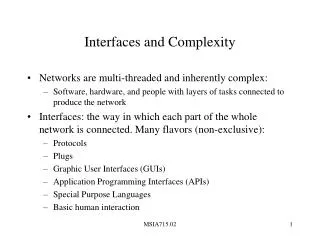
Command Interface • Type in abbreviated commands at a prompt …. System responds • Ex. AutoCAD – still can be powerful interface
WIMP/GUI • Xerox Star interface – led to birth • Color, typography imagery • Windows – scrolling, stretching, opening etc. • Icons – representation of commands, applications etc. • Menus – list of options to scroll or select • Pointers – mouse cursor as interface • Evolution – 3d icons, audio icons, toolbars etc.
Windows • Window design – solution to physical constraints of screen • Multiple windows, scrolling down and across • Swapping between windows – Mac function • Dialog boxes – confirmations, errors, guiding user input
Menus • Menu design – like restaurant menus • Headings – easier to organize information • Menu contents are hidden until needed • Styles – flat lists, drop-down, pop-up • Nesting menus – tedious, iPod scrollwheel • Expanding menus – cascading menus, mouse frustration • Contextual menus – ie. Right clicking
Icons • Represent objects – ie. Folders, trashcan • In applications depict tools – ie. Paintbrush • GUIs are now appealing • Mapping – ie. Trashcan • Recognizable icons • PDAs, cellphones, etc.
1990s interfaces • Advanced graphical interfaces • Multimedia • Virtual Environments • Visualization • Web-based interfaces • Speech interfaces • Pen / gesture / touch screen interface • Appliance interface
Multi-Media • combines different media within one interface • can be with by the user • assumption • better way of presenting information • easy to learn, understand, more engagement, pleasure • facilitates to multi representation • “heart” in in Multimedia-based encyclopedia • image/diagrams, video clips, audio recordings, text interacted rapid access
“Heart” • The heart is a muscularorgan found in all vertebrates that is responsible for pumping blood throughout the blood vessels by repeated, rhythmic contractions.
Hands-on interactive simulation • Cardiac Tutor • teachingcardiac resuscitation. • BioBLAST • designing a life support system
Multimedia CD-ROM • assumption • learning and playing can be • however…. • more choice, more • need efforts for encouraging interactions enhanced selective
Virtual Reality & Virtual Environment • computer-generated graphical simulations • create “the illusion of participation” (Gignatte) • example: CAVE
Advantages of VRs / VEs • new kind of experience • Virtual Zoo Project
Advantages of VRs / VEs • higher level of with the objects • sense of makes setting convincing • different viewpoints • first-person perspective : DOOM • third-person perspective : Tomb Raider, Second Life fidelity “presence”
Information Visualization • goal • amplifying human cognition • enabling users to see patterns, trends to gain insight • example • 3D interactive map • Tree map
Web-based Interface • text-based (“vanilla” approach) • Nielsen : simplicity, feedback, speed… • download time • very few graphics but offer users chances • useit.com • graphic-based • distinctive, striking, pleasurable • readily recognizable on their return
Web-based Interface • usability vs attractiveness (Steve Krug) • Much of the content on a web page is not read User will pore over each page…. Click, click, click…
Web-based Interface • how to catch and keep “eyeball” of user • Aftonbladet • flashing ads, banners
Speech interface • speak and listen to an interface • can be used by people with disabilities • call routing • example
Pen, gesture, and touch-screen (p. 260) • Stylus, camera, and touch sensitive screens • Familiar gestures, more degrees of freedom • Sony's EyeToy; interactive games via camera • Pen interfaces for PDAs and whiteboards • Problems reaching buttons on the side or far away • Handwriting recognition; not always correct • Gesture based systems; Ubi-Finger and sign language
Appliance (p. 264) • Washer and dryer, MP3 players, ovens, printers • Short interactions with specific goal • Users don't want a complex, time consuming interface • Key principals: Simplicity and Visibility • For example: Toaster
2000s Interfaces (p. 265) • Mobile interfaces: • Handheld, portable devices such as PDAs and cell phones; smart phones • Roller wheels on the side • Spin dials on face, ala iPod • Directional keypads, two and four way • Touch screen buttons • Preferences vary on each input type
2000s Interfaces (p. 267) • Mobile interfaces • Keypad to text; can be frustrating • Predictive text, or built in keyboard on phone or on screen • Cell phones have a small screen and slow input • Slimmed down websites • Smaller menus • Windows CE • Mobile app design guidelines
2000s Interfaces (p. 269) • Multimodal Interfaces • Speech and gesture, eye-gaze and gesture, pen input and speech • 'More is more' – people don't use only one interface at once in the real world • But these don't exist yet! • Speech Work's Ford SUV interface • Attentive environments • Require extensive calibration
2000s Interfaces (p. 271) • Shareable Interfaces • Large wall displays, interactive tabletops • Creates a central space with shared info and control • Built into the furniture • Room ware furniture: Seeks to augment natural grouping patterns • Many screens interacting v. one central screen • Horizontal v. vertical
Tangible Interfaces • A type of interface where you interact using physical objects with which the computer can sense that allows the computer to read its position or configuration interpret it accordingly. • A person manipulates a physical object and that action is mimicked in a digital environment. • The interface can give feed back to the user in multiple ways. Urp: an application that uses miniature building models to facilitate urban planning. http://www.youtube.com/watch?v=3RAbd_i67oc
Augmented and Mixed Reality Interfaces Views of the real world are combined with views of a virtual world. Mixed Reality interfaces has attributes of both the real and virtual environments. Done typically by projecting a image on to a physical canvas and fitting it to matching virtual elements to their physical counterparts. Applications: - HUD - Augmented maps - X-rays
Wearable Interfaces • Simply a computer interface that you wear • The interface is typically manipulated or operates passively as the user moves in their environment. Ergonomic Concerns - Comfort - Restriction of movement or other senses - Weight - Noticability of the apparatus
Robotic Interfaces • Interaction with robots • Useful in that they can do many things that we cannot. • The opposite is also obviously true • The amount of utility we can get from robots is still limited.
Which Interface • What interface should we use for each application. • We covered many interfaces. • What about the widely used interfaces we have today makes us prefer them over others. • What is keeping some innovative interfaces from entering markets. Interfaces: Multimedia, multimodal, mobile interface, virtual 3D environments, augmented reality, tangible interfaces, robotic interfaces. Applications: Learning, game playing, navigation, purchasing, surfing the internet, connecting with friends, editing a data.
Which Interface • Many variations of interfaces. • Each with their own unique attributes, challenges, limitations. • There are lots of interfaces that get us excited about HCI but we have to remember for who and for what we are designing. • Must remember to design for the user and not for the technology.