Download
1 / 19
190 likes | 312 Vues
This course, CPSC 100, offered at East Stroudsburg University, is designed to familiarize students with personal computers and commonly used office software, including Microsoft Word, Excel, PowerPoint, and Access. Students will engage in hands-on exercises, complete homework assignments, and take exams to demonstrate their proficiency. The course emphasizes the importance of attendance, academic integrity, and preparation for classes. Students are encouraged to actively participate and seek help during office hours to succeed in the course.

E N D
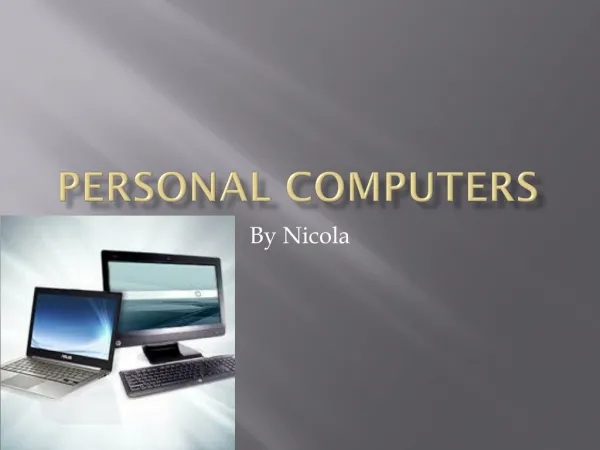
CPSC 100 –Personal Computers & Their Uses Fall 2010 Dongsheng Che Department of Computer Science East Stroudsburg University
Course Information • Instructor: Dr. Dongsheng Che • Contact: dche@po-box.esu.edu Phone: 570-422-2731 • Course Time and Location: • SectionA897: M/W 2:00PM – 3:15AM, SCITECH138 • Section A898: M/W 4:00PM – 3:15AM, SCITECH138 • Office Hours and Location: • M/W 10:00AM – 11:00AM, SCITECH330 • Thursday 10:00AM – 1:00PM, SCITECH330
Course Information • Textbook: • Grauer, Robert T. Exploring Office 2007 (written to Vista), Volume 1, Second Edition. Prentice Hall, 2007. ISBN: 0136070558
Course Information • Course Learning Software: http://www.myitlab.com
Course Overview • Familiarize you w/the PC • Learn common office software • Word • Excel • PowerPoint • Access
Requirements • Attendance • Hands-on exercises • Homework assignments • Exams
Grading • You EARN your grade • Breakdown: • 10% Class Attendance • 10% Practice Exercises (in class work) • 32% Homework • 12% Microsoft Word Exam • 12% Microsoft Excel Exam • 12% Microsoft PowerPoint Exam • 12% Microsoft Access Exam • No late hands-on /homework will be accepted!
Grades • Letter equivalents:A: 90 - 100B: 80 - 89.9C: 70 - 79.9D: 60 - 69.9E: below 60
Attendance Policy • Attendance accounts for 10% • Students are required to attend all classes • You may have to take Distance Education class if you will miss lots of classes • Attendance will be taken randomly • Drop me email in advance if you will be absent in next class
Academic Misconduct • Do your own work(hands-on, homework, exams, …) • All violations turned over to Judicial Affairs • Possible failure for course/suspension from University • Read/Understand Student Code of Conduct
Examples of Misconduct • “Sharing” documents • Asking/letting someone else to do work for you • Uploading someone else’s homework to your account (MyITLab can detect integrity violations!)
Tips for Success • Be here & be active • Do reading & homework • Ask Questions! • Be open minded • Be respectful of others • Come to office hours
Electronic Gadgets • Out of respect for me & fellow students, please silence all phones, pagers, alarms, or other electronic devices
Special Needs • If you need any assistance in order to participate fully in class, please see me as early as possible.
Announcement • Log in the computers in Room 138, using • User Name: administrator • Password: myitlab • Log in the Myitlab website (www.myitlab.com), using your own account.
Let’s Get Started! • Introductions: Name, Year, Major,…
Announcements: • Read the syllabus, sign the last page, and return back to me • Get the book with the access code • Needed by the class time on Wednesday • Better purchase it for CPSC100 from ESU bookstore • DO NOT purchase the book for CPSC101!