Challenges of Using Tables for Web Layout: Accessibility and Maintenance Issues
Using tables for web layout poses significant challenges, including maintenance difficulties and accessibility issues. Tables can be hard to remember when editing, as the underlying logic might not be clear to all team members. They can also be inflexible, leading to slower load times and rigid designs. Moreover, screen readers may confuse table structures, not distinguishing between visual and data content, complicating user experience. This article highlights these issues and explains why tables should be avoided for layout purposes.

Challenges of Using Tables for Web Layout: Accessibility and Maintenance Issues
E N D
Presentation Transcript
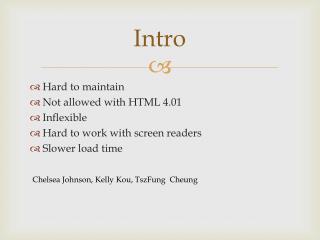
Intro • Hard to maintain • Not allowed with HTML 4.01 • Inflexible • Hard to work with screen readers • Slower load time Chelsea Johnson, Kelly Kou, TszFung Cheung
Maintenance • Not as easy to remember why you did something when editing later • Need to explain all reasoning to every member of development team • Can take additional time to make changes when editing • http://webdesign.about.com/od/layout/a/aa111102a.htm
Formatting • Data doesn’t always make sense if read left-to-right or top-to-bottom • When there’s nesting/spanning, page can be difficult to figure out • Not as accessible • http://webdesign.about.com/od/layout/a/aa111102a.htm
Inflexible • If widths are specified, get a rigid table • When you mess with widths, can cause slower load times • http://webdesign.about.com/od/layout/a/aa111102a.htm
Slow load • Table were meant to only be two-dimensional • Have to allow the entire table to load before being allowed to make changes • Every time visitors change a page, tables need to reload • http://aspektas.com/blog/three-simple-reasons-why-tables-for-layout-are-bad/
Screen readers • Announces a table (four columns, two rows) • Doesn’t notice if it’s for visual purpose or not • Can be confusing to someone • http://universalusability.com/access_by_design/layout_tables/necessary.html
Summary • Hard to remember reasons when editing later • Doesn’t always make sense if read linearly • Get rigid designs • Has to reload every time visitor changes pages • Screen readers just describe actual table