Easy Data Export to Excel with IBIS-Q Tutorial
Learn how to effortlessly export data results to Excel using IBIS. Explore Alzheimer’s disease death data by age group and sex, saving query documentation, tables, and detailed lists with simple clicks. Save the Excel spreadsheet by following easy steps.

Easy Data Export to Excel with IBIS-Q Tutorial
E N D
Presentation Transcript
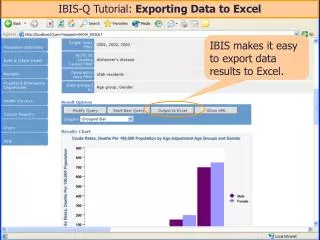
IBIS-Q Tutorial: Exporting Data to Excel IBIS makes it easy to export data results to Excel.
In this example, we have results for Alzheimer’s disease deaths by age group and sex for a three year period.
Simply click on the “Output to Excel” button, and IBIS will bring the information up in an Excel window in your browser.
IBIS will paste the query documentation, the 2-D table, and the detailed data list into the Excel spreadsheet.
To save the Excel spreadsheet, you’ll need to: • Select “Save As…” from the “File” pull-down menu. • Select file type = Microsoft Excel Workbook. • Then name and save the file.