Download
1 / 1
20 likes | 154 Vues
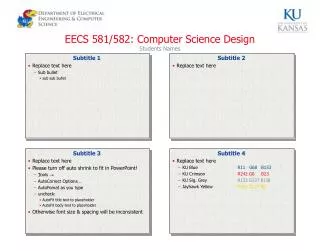
This document provides essential guidelines for students in EECS 581/582, focusing on effective presentation techniques and formatting standards. For optimal results, please refrain from using auto-shrink features in PowerPoint. Adjust your AutoCorrect and AutoFormat settings to prevent inconsistencies in font size and spacing. Utilize the specified color palette, including KU Blue, KU Crimson, and Jayhawk Yellow, to maintain a cohesive visual identity. These guidelines are crucial for ensuring a professional presentation of your design projects. ###

E N D
EECS 581/582: Computer Science Design Students Names Replace text here Sub bullet sub sub bullet Subtitle 1 Subtitle 2 • Replace text here Subtitle 3 Subtitle 4 • Replace text here • Please turn off auto shrink to fit in PowerPoint! • Tools • AutoCorrect Options… • AutoFomat as you type • uncheck: • AutoFit title text to placeholder • AutoFit body text to placeholder • Otherwise font size & spacing will be inconsistent • Replace text here • KU Blue R11 G68 B153 • KU Crimson R242 G0 B23 • KU Sig. Grey R133 G137 B138 • Jayhawk Yellow R255 G214 B0