Memory Management and Partitioning Techniques: A Comprehensive Guide
Learn about logical-to-physical address binding, memory partitioning schemes like fixed and variable partitions, allocation strategies, and dealing with insufficient memory. Understand key concepts like static and dynamic address binding, implementation processes, and allocation strategies for variable partitions.

Memory Management and Partitioning Techniques: A Comprehensive Guide
E N D
Presentation Transcript
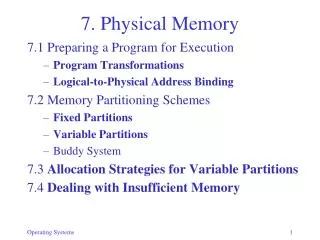
7. Physical Memory 7.1 Preparing a Program for Execution • Program Transformations • Logical-to-Physical Address Binding 7.2 Memory Partitioning Schemes • Fixed Partitions • Variable Partitions • Buddy System 7.3 Allocation Strategies for Variable Partitions 7.4 Dealing with Insufficient Memory
Preparing Program for Execution • Program Transformations • Translation (Compilation) • Linking • Loading
Address Binding • Every logical address must be mapped to a physical address • This may occur at once or in stages • Each time the program is moved from one address space to another: Relocation • Static binding • Programming time • Compilation time • Linking time • Loading time • Dynamic binding • Execution time
Static Address Binding • Different addresses are bound at Programming, Compilation, Linking, or Loading Time • All addresses are bound (physical) before execution starts
Dynamic Address Binding • Binding to physical address is delayed until execution time – just prior to memory access same as before
Address Binding • How to implement dynamic binding • Must transform each address at run time: pa = address_map(la) • Simplest form of address_map: Relocation Register: pa = la + RR • More general form: • Page or Segment Table (Chapter 8)
Memory Partitioning Schemes The problem: • Memory is a single linear sequence • Every program consists of several components (program, data, stack, heap) • Some of the components are dynamic in size • Multiple programs need to share memory • How to divide memory to accommodate all these needs? • Fixed partitions, variable partitions
Fixed Partitions • Single-program system: 2 partitions (OS/user) • System must manage dynamic data structures within each partition • Multi-programmed systems: need n partitions • Different-size partitions • Program size limited to largest partition • Internal fragmentation (unused space within partitions) • How to assign processes to partitions (scheduling: smallest possible, smallest available, utilization vs starvation) • Same-size partitions (most common) • Must permit each component to occupy multiple partitions (pages, Chapter 8)
Variable Partitions • Memory not partitioned a priori • Each request is allocated portion of free space • Memory = Sequence of variable-size blocks • Some are occupied, some are free (holes) • External fragmentation occurs: many small holes • Adjacent holes (right, left, or both) must be coalesced to prevent increasing fragmentation
Implementation • How to keep track of holes and allocated blocks? • Requirements: Must be able to efficiently: • Find a hole of appropriate size • Release a block (coalesce) • Bitmap implementation • Linked list implementation • Problems: • How to know the size of a hole or block • How to know if neighbor is free or occupied
Linked List Implementation 1 • Type, Size tags at the start of each block/hole • Holes contain links to previous and next hole (why not blocks?) • Checking neighbors of released block (e.g. C below): • Right neighbor (easy): Use size of C • Left neighbor (clever): Use sizes to find first hole to C’s right, follow its back link to first hole on C’s left, and check if it is adjacent to C. • Holes must be sorted by physical address
Linked List Implementation 2 • Better solution (due to Donald Knuth, Stanford U.) • http://en.wikipedia.org/wiki/Donald_knuth • Replicate tags at both ends • Checking neighbors of released block C: • Right neighbor: Use size of C as before • Left neighbor: Check its (adjacent) type, size tags • Holes need not be sorted – insert is easier (append at end)
Bitmap Implementation • Memory is divided into fix-size blocks • Bitmap: binary string, 1 bit/block: 0=free, 1=allocated • Implemented as char,integer,or byte array Example: B[0], B[1], … = 0010 0111, 0001 0000, … blocks 2, 5-7, 11 … are occupied • Operations: • Release: AND with 0 • Allocate: OR with 1 • Search for free block (look for 0): Repeat: AND with 1; if result=0 then stop, else consider next bit • Operations use bit masks: M[0], M[1], …,M[7 ] = 1000 0000, 0100 0000,…, 0000 0001 M’[0],M’[1],…,M’[7] = 0111 1111, 1011 1111, …, 1111 1110
Example • Assume • Memory is broken into blocks of size 1KB • Memory map is a byte array • Release block D: • B[1] = B[1] & '11011111‘ • B[1] = B[1] & M’[2] • Allocate first 2 blocks of block A: • B[0] = B[0] | '11000000‘ • B[0] = B[0] | M[0] | M[1] B[0] B[1]
Allocation Strategies with Variable Partitions • Task: Given a request for n bytes, find hole ≥ n • Goals: • Maximize memory utilization (minimize external fragmentation) • Minimize searchtime • Search Strategies: • First-fit: Always start at same place. Simplest. • Next-fit: Resume search. Improves distribution of holes. • Best-fit: Closest fit. Avoid breaking up large holes. • Worst-fit: Largest fit. Avoid leaving tiny hole fragments • First Fit is generally the best choice—how to measure?
Measures of Memory Utilization • Compare numberof blocks versus number of holes • 50% rule (Knuth, 1968): #holes = p × #full_blocks/2 p = probability of inexact match (i.e., remaining hole) • In practice p=1, because exact matches are highly unlikely, so #holes = #full_blocks/2 • 1/3 of all memory block are holes, 2/3 are occupied • How much memory space is wasted? • If average hole size = average full_block size then 33% of memory is wasted • If average sizes are different?
How much space is unused (wasted) • Utilization depends on the sizes ratio k = hole_size/block_size unused_memory = k/(k+2) • Intuition: • When k=1, unused_memory1/3 (50% rule) • When k, unused_memory1 (100% empty) • When k0, unused_memory0 (100% full) • What determines k? • The block size b relative to total memory size M • Determined experimentally via simulations: • WhenbM/10, k=0.22andunused_memory0.1 • When b=M/3,k=2andunused_memory0.5 • Conclusion: M must be large relative to b
Dealing with Insufficient Memory • Swapping • Temporarily move process to disk • Requires dynamic relocation • Virtual memory (Chapter 8) • Allow programs large than physical memory • Portions of programs loaded as needed • Memory compaction • Move blocks around to create larger holes • How much and what to move?
Memory compaction Initial Complete Partial Minimal